GitLab Self-Hosted AI Code Review for MRs - Finally a Simple Solution
GitLab Self-Hosted AI Code Review for MRs - Finally a Simple Solution
Like many developers working on self-hosted GitLab, I've spent years watching AI code review happen on gitlab.com while our merge requests on gitlab.mycompany.com stayed on Overview, Changes, and a comment box.
I tried the stack that promised to close that gap. A few tools were useful. All of them shared the same tax: GitLab Premium or Ultimate seats, inbound webhooks, service accounts, and a dashboard that is never the merge request I am actually reviewing.
I kept asking: "Why isn't there a simple gitlab self hosted ai code review that just works on the MR — on Community Edition and Enterprise Edition?"
So I built one.
ThinkReview started here. GitLab.com was day one. GitLab Self-Managed — Community Edition (CE) and Enterprise Edition (EE) — is still the instance most AI tools skip. This gitlab ce ai review / gitlab ee merge request ai lives in the browser on your custom domain. No GitLab admin project. No bot account. No second tab.
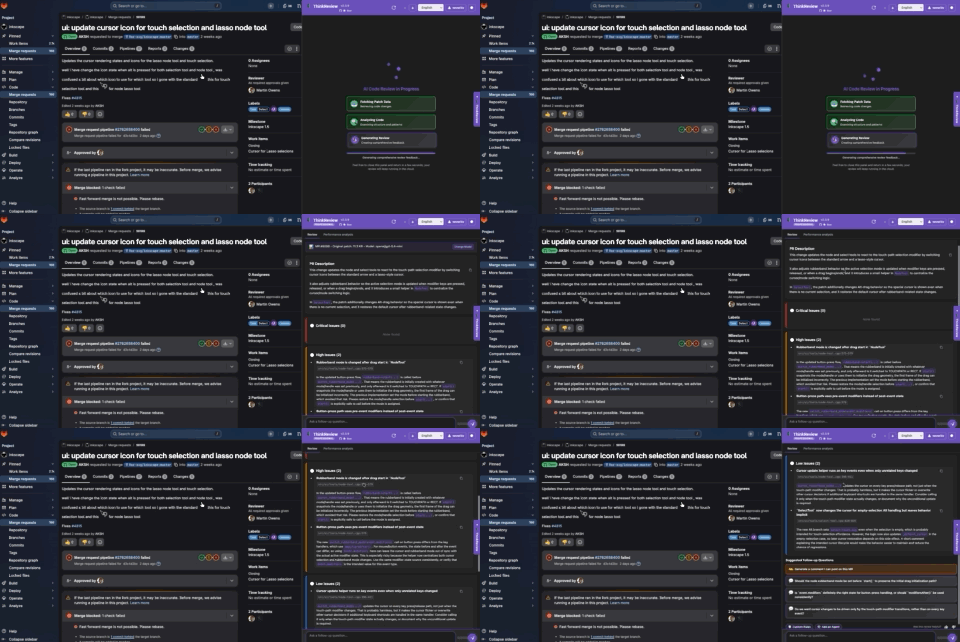
What you get today is a real review panel (severity, scores, agents, follow-up questions), Cloud reviews with full repo context, and ThinkReview MCP so the same self-hosted merge request URL can be reviewed from Cursor, Claude Code, or Copilot.
Why self-hosted GitLab still needs a simpler MR AI review
If you live on gitlab.com, you have Duo (if you pay for it) and a crowded bot ecosystem. If you live on GitLab Community Edition, there is no Duo. If you live on GitLab Enterprise Edition without Premium/Ultimate — or on an air-gapped EE instance — Duo still means an AI gateway, a version pin, and a ticket to your GitLab admin.
A gitlab copilot merge request review should not mean:
- Upgrading CE to EE Ultimate just to turn AI on
- Standing up GitLab Duo Self-Hosted and an AI gateway
- Exposing the instance so a vendor can POST review comments
- Copying the diff into ChatGPT and losing the Changes tab
ThinkReview is the other path: install the extension, add your custom GitLab domain, open the MR, click AI Review. The review stays on the page — on Community Edition and on Enterprise Edition.
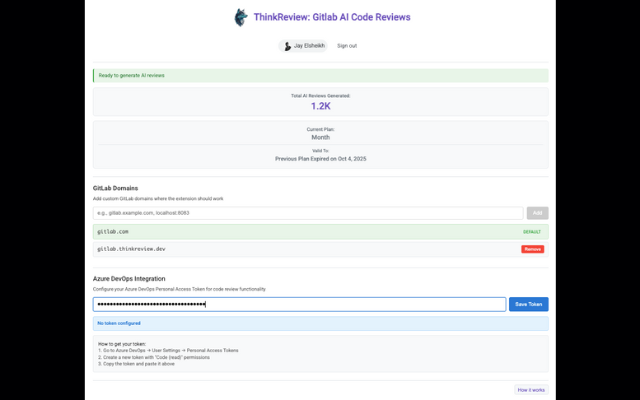
A custom domain is the one setup step self-managed GitLab requires so the extension can run on gitlab.company.com. That is it. No webhooks, no GitLab admin, no license upgrade from CE to Ultimate.
What the extension actually shows now
The gitlab self managed pr ai review you get today is a full sidebar on the merge request:
- Summary of what the change actually does
- Severity-ranked findings (critical / high / medium) with file and line ranges
- Quality, security, and best-practice scores when you run a scoring review
- Review agents (for example a security or pentest checklist) on the same MR
- Suggested follow-up questions you can click into chat, plus “generate a comment I can post”
- Code suggestions you copy and post yourself — ThinkReview is a copilot, not a comment bot
- Cursor / Claude Code / Copilot deeplinks to implement a finding in the IDE
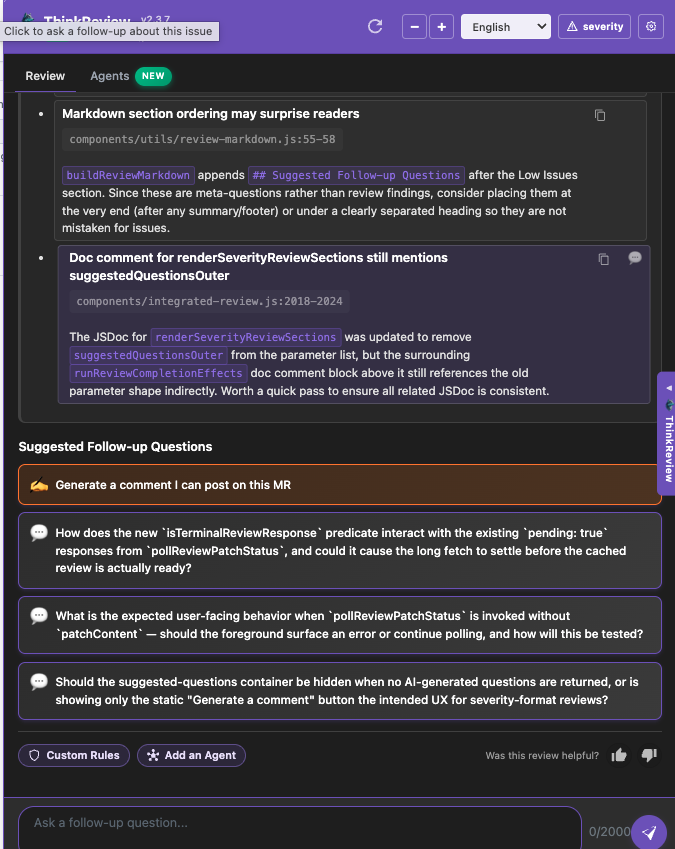
Cloud reviews can use full repository context on the first pass and search grounding when a finding depends on live docs (model IDs, CVEs, SDK names). You still pick the model in portal model selection.
Same extension, same panel, on GitLab.com, GitLab Community Edition, GitLab Enterprise Edition, plus GitHub, Azure DevOps, and Bitbucket. Open the popup, pick GitLab Self-Managed, add the domain, and you are in the right setup.
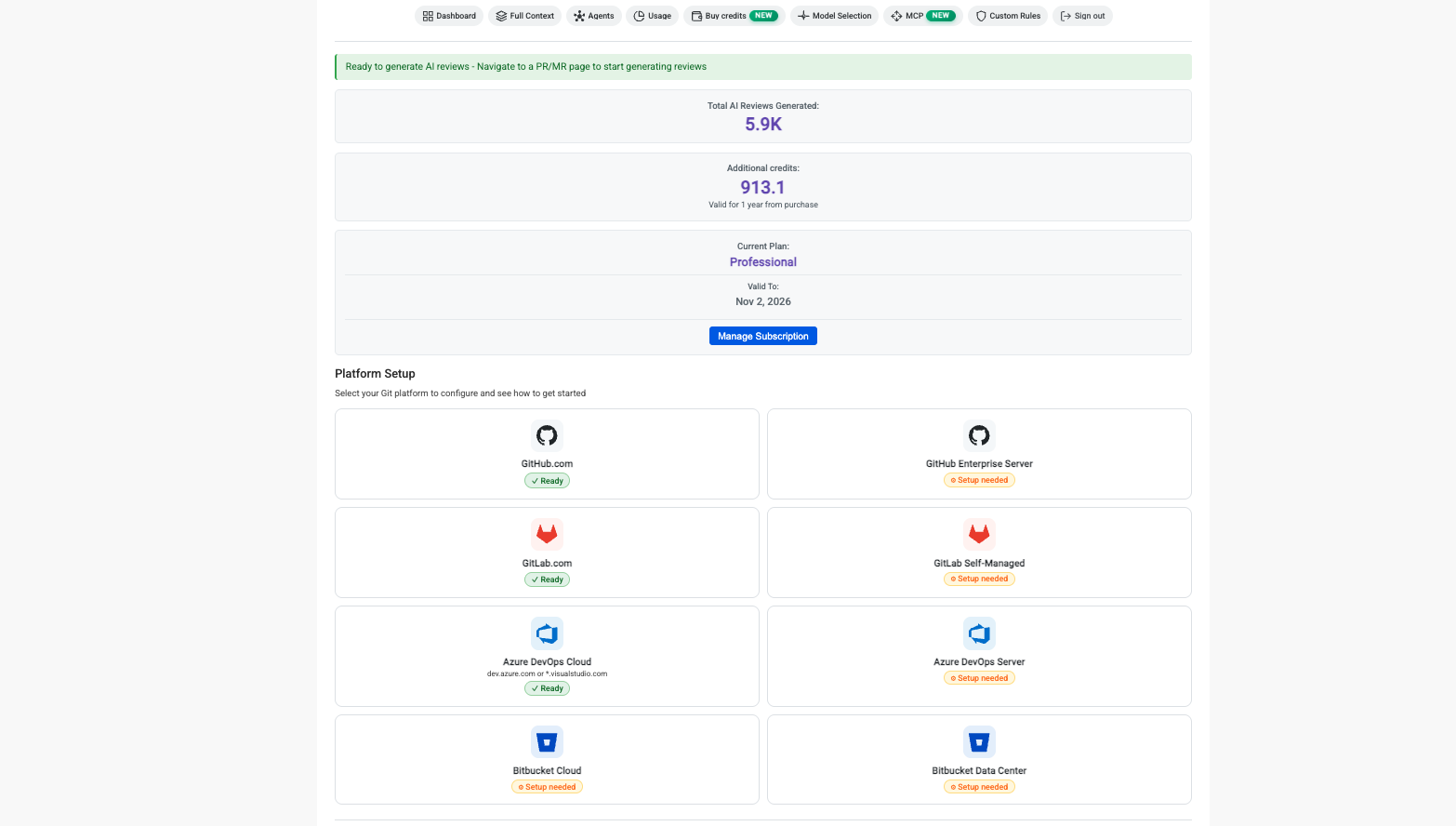
Review the same self-hosted GitLab MR from MCP
The extension is for when you are already on the MR. ThinkReview MCP is for when you are in the editor.
Paste a GitLab merge request URL — gitlab.com or your CE/EE host — into Cursor, Claude Code, Claude Desktop, or GitHub Copilot and call review_url_code. ThinkReview fetches the diff through your portal git credentials and returns the same structured review: summary, findings, security notes, scores, follow-up questions.
Hosted endpoint: https://mcp.thinkreview.dev/v1
Listed on the Official MCP Registry as io.github.Thinkode/thinkreview.
Typical Cursor config (OAuth — URL only):
{
  "mcpServers": {
    "thinkreview": {
      "url": "https://mcp.thinkreview.dev/v1"
    }
  }
}
Then Authenticate in the client, finish consent on the ThinkReview portal, and keep GitLab credentials under Settings → Integrations. MCP cannot fetch a private self-hosted MR without that.
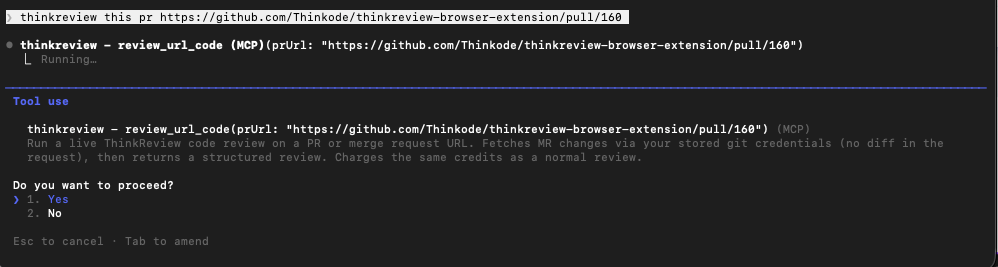
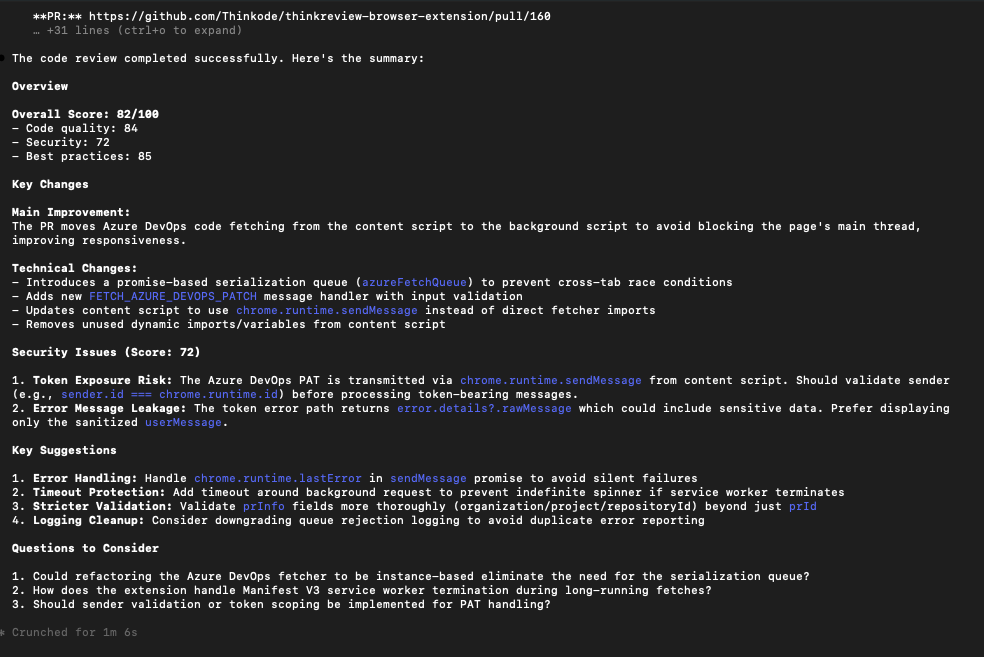
Setup details: ThinkReview MCP · MCP integration docs · MCP setup in the portal
Reviews from MCP use the same credits as the extension. Cached results reuse when the changed-file fingerprint has not changed.
Getting started (still short)
On the GitLab Self-Hosted MR page
- Install ThinkReview (Chrome / Edge / Firefox)
- Open the extension popup and choose GitLab Self-Managed
- Add your instance domain (for example
gitlab.mycompany.com) and allow the permission (GitLab setup) - Open any merge request on Community Edition or Enterprise Edition
- Click AI Review — the sidebar is the review
From Cursor or Claude Code
- Connect git credentials in the portal
- Add ThinkReview MCP and authenticate
- Ask: Review this GitLab MR with ThinkReview:
https://gitlab.mycompany.com/{group}/{project}/-/merge_requests/{id}
No webhooks. No YAML. No CE-to-Ultimate upgrade. No waiting on a GitLab admin.
Built for GitLab CE and EE teams
ThinkReview works across:
- GitLab.com (ready as soon as you install)
- GitLab Community Edition (CE) on a custom domain
- GitLab Enterprise Edition (EE) — Premium, Ultimate, or a license that never bought Duo
- Public and private repos
There is a free tier (daily review credits) so you can try a real gitlab community edition code review before anyone files a purchase order. Custom GitLab domains are on Lite and above. Paid plans raise daily credits, agent runs, and giant-MR limits.
ThinkReview stays a copilot: you read the findings, you post the comments. That is why CE teams — and EE teams who do not want a noisy Duo bot — still use it.
Try the simple gitlab self-hosted copilot mr review
I built this because “supports GitLab” on a marketing page usually means gitlab.com, or EE Ultimate with Duo. Community Edition was left out. Enterprise Edition without the AI add-on was left out. The simpler model — review on the MR you already have open — is the one that works on both.
Install ThinkReview and run it on the next self-hosted GitLab merge request — or paste that MR URL into an assistant with ThinkReview MCP.
Available on Chrome, Edge, Firefox, Opera, Brave, and other Chromium browsers.
What's your biggest pain point with GitLab Community Edition or Enterprise Edition merge request reviews? Tell us — we keep shipping against that list.
Related:
- Azure DevOps AI Code Review for PRs - Finally a Simple Solution
- GitHub Enterprise Server PR ThinkReview: Finally, A Simple Solution
- Bitbucket AI Code Review for PRs - Finally a Simple Solution
- Which AI Code Review Platform Works Smoothly with Self-Hosted GitLab?
- GitLab Duo vs ThinkReview
- Best AI Code Review Tools for GitLab
- Introducing ThinkReview MCP