Best AI Code Review Tools for GitLab: Transform Your Merge Request Workflow in 2026
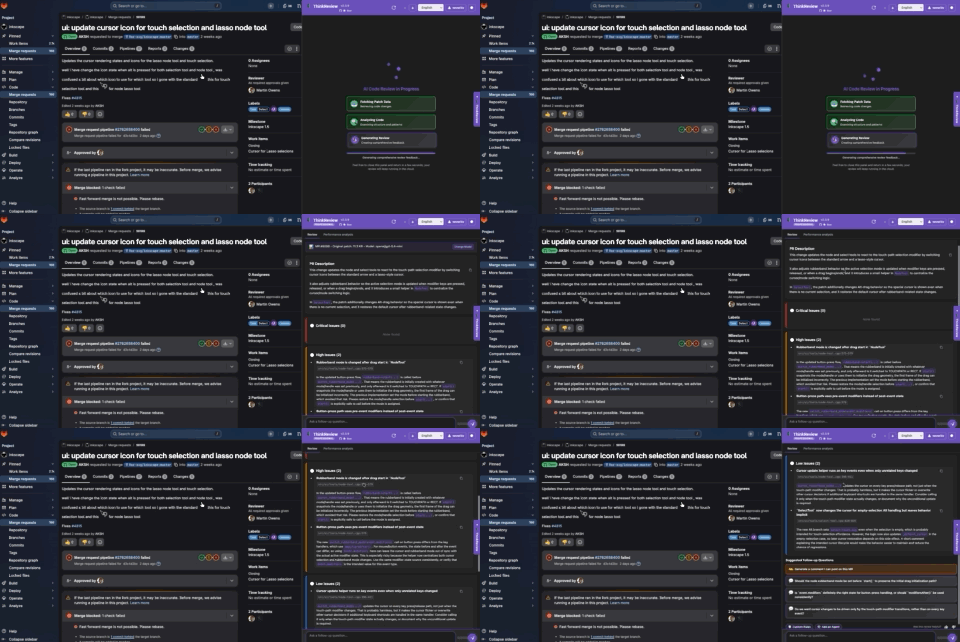
Best AI Code Review Tools for GitLab: Transform Your Merge Request Workflow in 2026
AI merge request review should live on the MR — not in a tab you paste diffs into.
GitLab teams still lose hours to large diffs, inconsistent review quality, and security issues that only show up after merge. In 2026 the useful tools are the ones that read the actual merge request, rank findings by severity, and let you ask a follow-up without leaving GitLab.
What to look for
- Works on GitLab.com and self-managed domains
- Findings you can act on (severity or scores), not a wall of nits
- Chat / suggested questions so the reviewer still owns the comment
- A privacy path: zero retention, local models, or in-network gateway
- Price that does not require Ultimate for every engineer
ThinkReview
ThinkReview is a browser extension for GitLab (and GitHub, Azure DevOps, Bitbucket). It opens a sidebar on the merge request: severity-grouped findings, optional quality/security scores, suggested follow-up questions, and a chat tied to the diff.
2026 features that matter on GitLab
- Severity layout — critical / high / low, with clickable follow-ups (same pattern on scoring reviews)
- Review agents — up to ten checklists (OWASP, stack-specific) from the portal
- Custom rules and scoring calibration
- Frontier models with plan-based selection and fallbacks
- MCP — review a GitLab MR URL from Cursor or Claude Code
- Ollama and Enterprise Gateway when code must not leave the machine or the network
- Chrome, Firefox, Edge, and Brave
Pricing: Free (5 reviews/day) · Lite $9/mo · Professional $14/mo (annual discounts on pricing). Custom GitLab domains are on paid Lite+.
Best for: individual developers and teams who want AI on the MR in minutes, including self-hosted GitLab.
GitLab Duo
GitLab’s native suite: Code Review Flow, Chat, Code Suggestions, and agentic CI features. Strong if you already pay Premium or Ultimate, can run a current GitLab version, and accept GitLab Credits for AI usage. Self-hosted Duo needs the AI gateway or Duo Self-Hosted — not a one-click install on Community Edition.
Best for: enterprises standardized on GitLab Ultimate/Premium who want IDE completions and pipeline-native AI.
Webhook bots (CodeRabbit and similar)
These post automated comments via GitLab APIs. They shine on gitlab.com. On private self-hosted GitLab they often need inbound access. Treat them as a complement when your instance is reachable, not as a default for air-gapped CE.
Quick comparison
| ThinkReview | GitLab Duo | |
|---|---|---|
| Setup | Extension + optional custom domain | License, version, AI gateway |
| Starting price | Free | Premium/Ultimate + credits |
| Self-hosted GitLab | Yes | Yes, with admin + SKU |
| Follow-up questions on the MR | Yes | Chat (licensed) |
| Local / in-network LLM | Ollama, Enterprise Gateway | Duo Self-Hosted |
| Other git hosts | GitHub, Azure DevOps, Bitbucket | GitLab only |
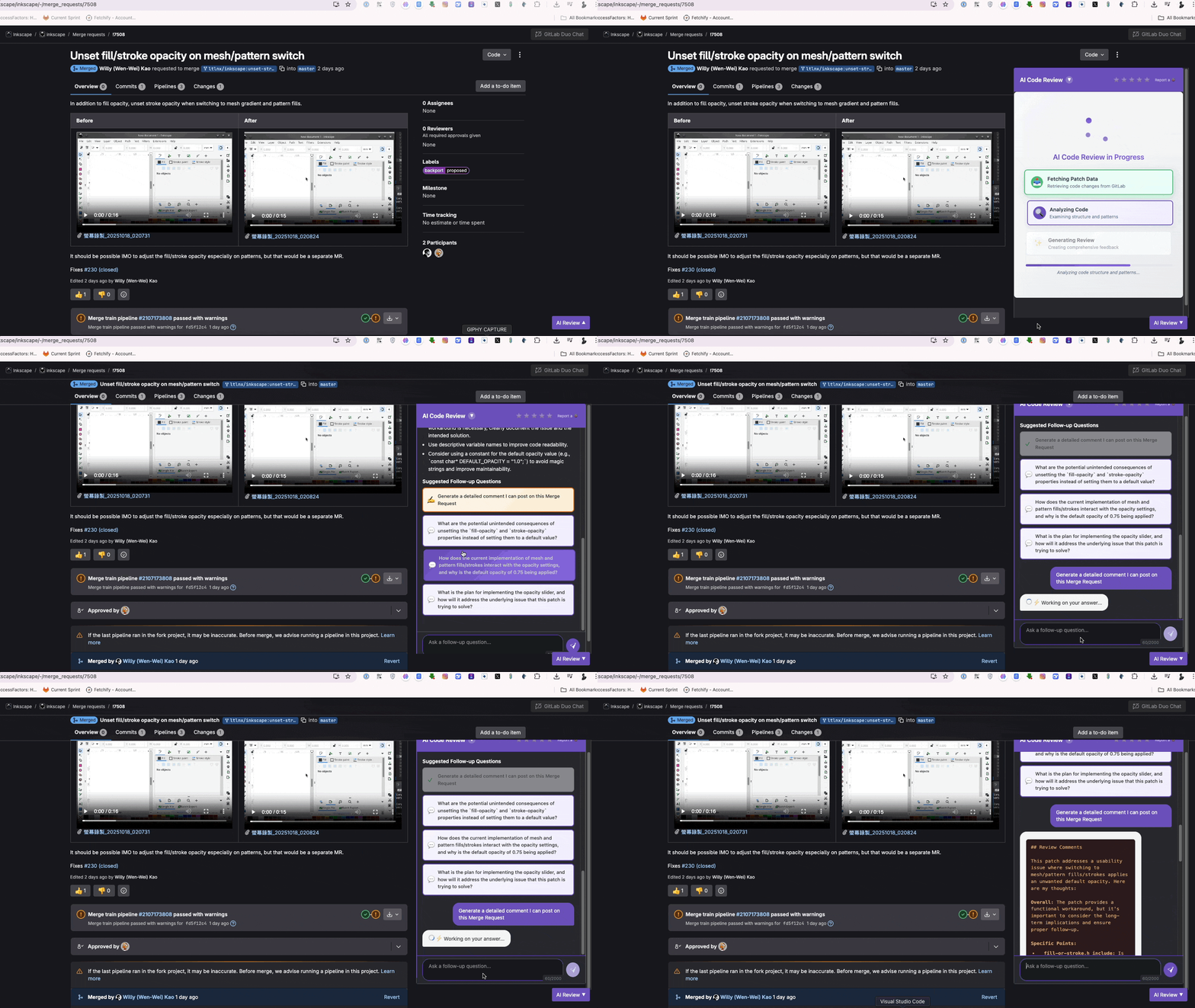
How to roll it out
- Run AI before human review for mechanical security and obvious bugs.
- Use suggested questions for the design/edge-case pass.
- Post a reviewer-owned comment (ThinkReview’s generate-comment action) instead of dumping a bot transcript.
- Keep SonarQube or Duo quality gates if you need merge blocking; keep ThinkReview for the interactive pass.
Install: Chrome · Firefox · Edge · GitLab docs
Related: Self-hosted GitLab comparison · GitLab Duo vs ThinkReview
Updated August 2026.