Which AI Code Review Platform Works Smoothly with Self-Hosted GitLab? Complete Comparison Guide 2026
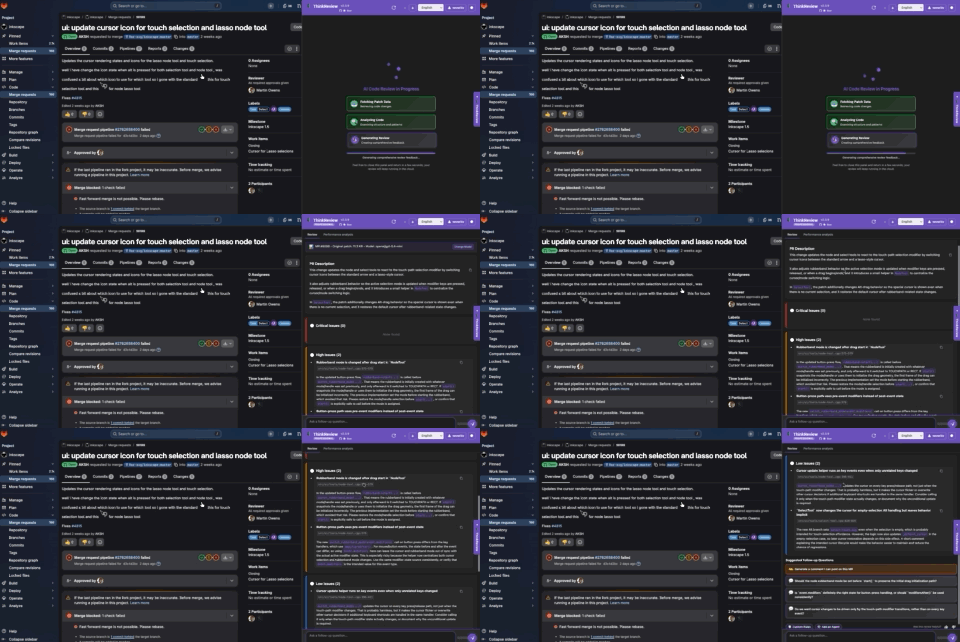
Which AI Code Review Platform Works Smoothly with Self-Hosted GitLab? Complete Comparison Guide 2026
The short version: if your GitLab is on a private domain, the tool has to work there — not only on gitlab.com.
Self-hosted GitLab (Community Edition, Enterprise Edition, or GitLab Dedicated-style on-prem) is still the default for teams that cannot put source in a public SaaS. Most AI review products assume inbound webhooks, a public URL, or a Premium/Ultimate seat. That is why “supports GitLab” on a marketing page often fails on gitlab.yourcompany.com.
This guide compares the platforms that actually work on self-managed GitLab in 2026, and which ThinkReview features map to that setup.
What “works smoothly” means on self-hosted GitLab
A tool is a fit only if it can do all of this:
- Run on a custom domain (
gitlab.company.com), not only gitlab.com - Avoid inbound webhooks when the instance is on a private network
- Keep code residency options (cloud with zero retention, local models, or an in-network gateway)
- Fit the team’s budget and admin overhead (individual install vs. instance-wide license)
Webhook bots that decorate merge requests are excellent on GitLab.com. On an internal instance they often need a public callback URL, a reverse proxy, or a GitLab admin project. Browser-side tools skip that: they read the merge request you already have open.
ThinkReview: the low-friction option for self-managed GitLab
ThinkReview is a browser extension (Chrome, Firefox, Edge, Brave) plus optional MCP for Cursor and Claude Code. You add your GitLab domain in settings, allow the permission, and the review panel appears on merge requests. No GitLab admin, no CI job, no webhook.
What you get on a self-hosted MR in 2026
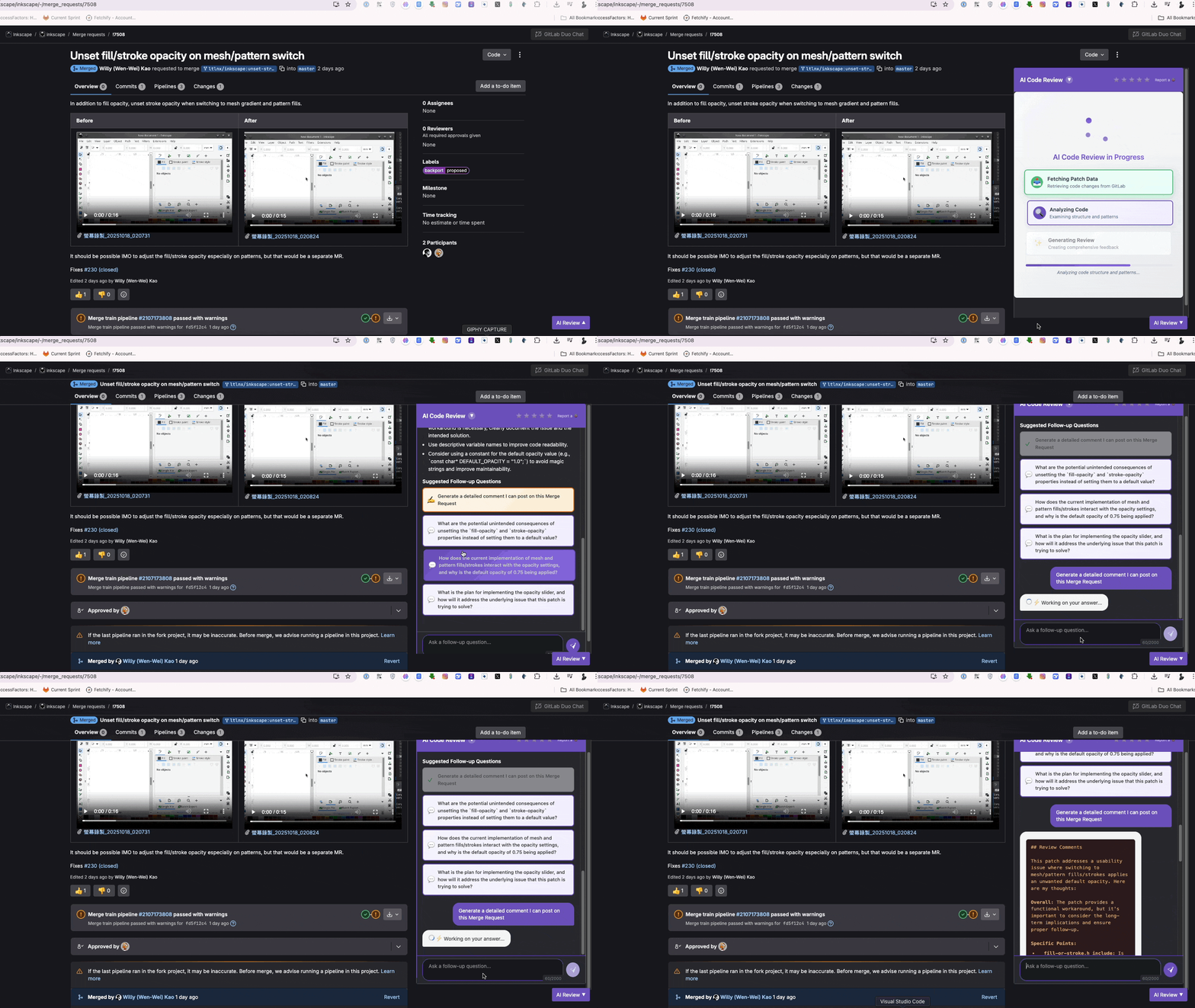
- Severity layout — findings grouped as critical, high, and low, with suggested follow-up questions you can click into chat
- Scoring layout — overall, quality, security, and best-practice scores when you want a scorecard instead of a severity list
- Conversational review — ask about a hunk, an edge case, or a security note without leaving the MR
- Generate MR comments — turn the review into a comment you post, not a bot dump
- Review agents — up to ten specialized checklists (OWASP-style security, migrations, stack rules) from the portal
- Custom rules — team standards injected into every review
- Model choice — current frontier models (Claude Sonnet, GPT Codex / GPT-5.6 Luna, Gemini 3.x, Grok 4.6, Kimi K3, and others) with fallbacks by plan
- Privacy modes — Zero Code Retention on cloud; local Ollama on your machine; Enterprise Gateway so diffs and LLM traffic stay on your network (Teams)
Setup for self-managed GitLab: extension settings → custom GitLab domain → allow access → open an MR. Details in the GitLab integration docs.
Pricing (2026): Free ($0, 5 reviews/day) · Lite $9/mo ($6/mo billed annually) with custom GitLab domains · Professional $14/mo ($10/mo billed annually) · Teams for gateway and larger diffs. See pricing.
Best for: teams that need AI on internal GitLab today, without a GitLab Ultimate project or a public webhook.
The rest of the field
GitLab Duo (Duo Agent Platform)
Native to GitLab: Code Review Flow, Chat, Code Suggestions, and CI-oriented agents. Self-managed support exists, but AI usually needs Premium or Ultimate, a recent GitLab version (Duo Agent Platform is documented from 18.7–18.9 depending on the feature), and either the GitLab AI gateway or GitLab Duo Self-Hosted for air-gapped setups. Usage is metered in GitLab Credits (promotional allowances on Premium/Ultimate; extra credits at list ~$1/credit; Code Review Flow is advertised at 0.25 credits per review). Seat add-ons (Duo Pro / Enterprise) still apply for some SKUs.
Best for: orgs already on Premium/Ultimate that want merge-blocking and CI-native AI and can run the admin project.
CodeRabbit and similar webhook bots
Strong automated comments on GitLab.com. On self-hosted GitLab they typically need the instance reachable from the vendor cloud (or a self-hosted runner). That is a non-starter for many air-gapped networks.
Best for: public or DMZ GitLab where inbound webhooks are allowed.
Bito
Codebase-aware reviews with cloud or Docker self-host. Integrates via personal access token and webhooks. More moving parts than an extension; useful if you want repo-wide indexing and can operate another service.
Best for: teams that will run a review appliance and train custom models.
SonarQube
Quality gates, SAST-style rules, 30+ languages, first-class GitLab decoration. It is not a conversational copilot. Pair it with an LLM reviewer if you want both gates and a chat on the MR.
Best for: compliance and merge-blocking quality gates.
Comparison matrix (2026)
| ThinkReview | GitLab Duo | CodeRabbit-style bots | Bito | SonarQube | |
|---|---|---|---|---|---|
| Custom GitLab domain | Yes (extension permission) | Native (instance) | If webhooks can reach you | PAT + URL | Native plugin |
| Works on private / no inbound URL | Yes | Yes (on the instance) | Often no | Depends on deploy | Yes (self-hosted) |
| Setup | Minutes | Admin + license | Project + webhook | Hours | Days |
| Starting price | Free | Premium/Ultimate + credits | Paid seats | Paid seats | Community free |
| Conversational follow-ups | Yes | Chat (licensed) | Limited | Yes | No |
| Review agents / custom rules | Yes | Duo flows / rules | Product-specific | Templates | Quality profiles |
| Local / in-network LLM | Ollama + Enterprise Gateway | Duo Self-Hosted | Rare | Self-host option | N/A (static analysis) |
| Chrome / Firefox / Edge | Yes | In GitLab UI | Comments in GitLab | App / IDE | GitLab UI |
How to choose
Start with ThinkReview if developers should review on the MR page this week, including Community Edition and custom domains, with a free tier and no GitLab admin ticket.
Choose GitLab Duo if you already pay for Premium or Ultimate, want AI inside CI and IDE completions, and can meet version and AI-gateway requirements.
Add SonarQube when you need enforced quality gates. Consider Bito or a webhook bot only if you can expose GitLab or run their self-hosted stack.
Many teams combine them: SonarQube or Duo for automation, ThinkReview for interactive severity findings, follow-up questions, and comments the reviewer still owns.
Try it on your instance
- Install from Chrome, Firefox, or Edge
- Add
https://gitlab.yourcompany.comin extension settings - Open a merge request and run a review
Code is processed under zero code retention on cloud, or stays local with Ollama / Enterprise Gateway.
Related: Best AI code review tools for GitLab · GitLab Duo vs ThinkReview · GitLab setup
Updated August 2026. ThinkReview Cloud v2.2.1 / extension v2.3.9.