MR sidebar copilot
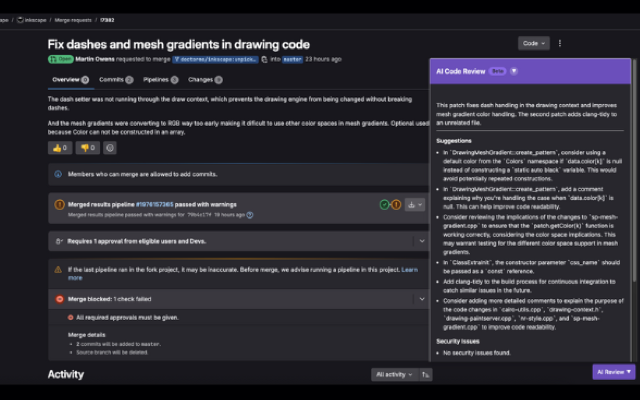
Review merge requests where you already work—scores, suggestions, and chat without a separate app.
ThinkReview brings AI code review to GitLab merge requests—on GitLab.com, Community Edition, and Enterprise Edition self-managed instances.
Chrome · Firefox · Edge · Brave
Built to fit your existing git workflow—no new platform to adopt.
Review merge requests where you already work—scores, suggestions, and chat without a separate app.
GitLab.com out of the box; point at custom domains for CE and EE self-hosted.
Browser extension + PAT—no GitLab admin privileges or CI variables required to start.
Layer team standards and specialized agents on top of every MR review.
Get from install to first review in a few minutes.
Add the extension from the Chrome or Firefox store.
Configure GitLab.com or your self-managed host per the setup docs.
Auto-detect the MR page and run an AI review in seconds.
Explore more features, platforms, and documentation.
Works on GitLab.com and self-managed—get started in minutes.