Built for GitLab CE
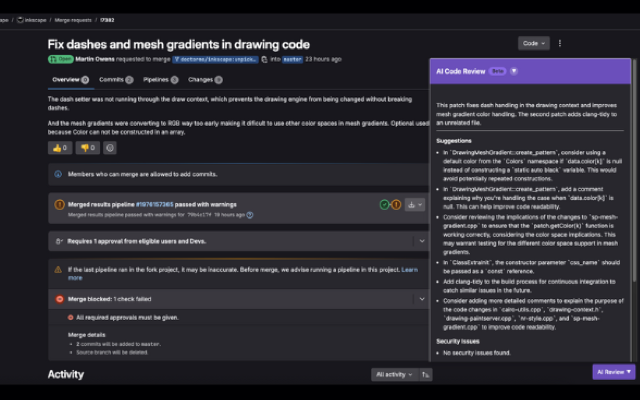
Use the same MR sidebar experience on self-managed Community Edition that teams use on GitLab.com.
Running GitLab CE on-prem or in your VPC? ThinkReview connects to your Community Edition instance via custom domain and reviews merge requests in the browser.
Chrome · Firefox · Edge · Brave
Built to fit your existing git workflow—no new platform to adopt.
Use the same MR sidebar experience on self-managed Community Edition that teams use on GitLab.com.
Add your CE hostname so ThinkReview auto-detects merge requests on your instance.
You authenticate with a PAT against your CE instance—no GitLab admin marketplace install required.
Apply custom rules and review agents so CE teams enforce the same standards as cloud users.
Get from install to first review in a few minutes.
Add ThinkReview to Chrome or Firefox.
Configure your self-managed GitLab Community Edition host per the GitLab docs.
Navigate to a merge request on your CE instance and run the review.
Explore more features, platforms, and documentation.
Point ThinkReview at your Community Edition instance and review the next MR.