Your standards, every review
Capture naming conventions, security checks, and domain rules so every review follows how your team actually ships—not a generic checklist.
Encode your team standards once—naming conventions, security policies, architecture patterns—and ThinkReview enforces them automatically on GitHub, GitLab, Azure DevOps, and Bitbucket.
Chrome · Firefox · Edge · Brave
Built to fit your existing git workflow—no new platform to adopt.
Capture naming conventions, security checks, and domain rules so every review follows how your team actually ships—not a generic checklist.
Share one rule set across developers so junior and senior reviewers get the same bar on quality, security, and style.
Custom rules shape findings on scoring and severity layouts, and extra point deductions on 0–100 scores when you use scoring layout.
Rules live in ThinkReview and run from the PR sidebar—no pipeline jobs, bots, or admin install to maintain.
Get from install to first review in a few minutes.
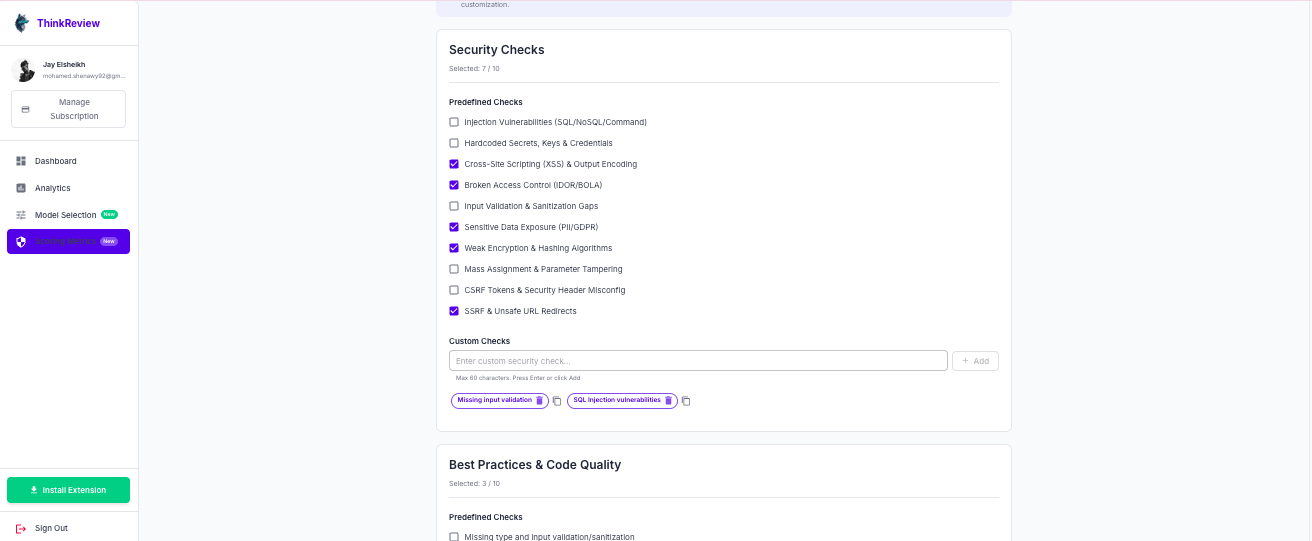
Sign in and go to Custom Rules to define the security and best-practice checks ThinkReview should prioritize.
Add naming, security, and domain patterns your team already expects in code review.
Open a pull or merge request—ThinkReview applies your rules automatically in the sidebar.
Explore more features, platforms, and documentation.
Install ThinkReview and configure custom rules in minutes.