Native PR workflow
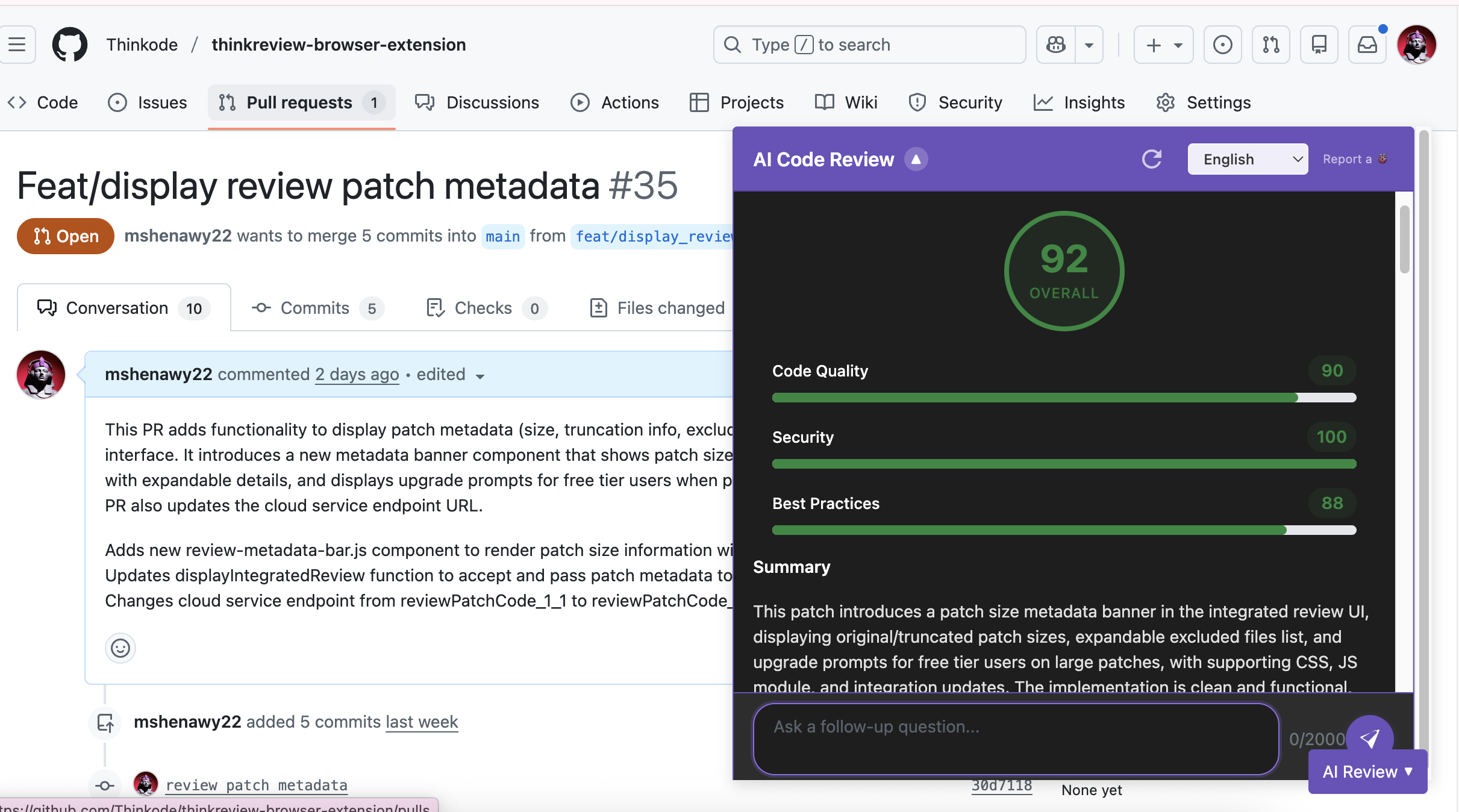
Open any GitHub pull request, click ThinkReview, and get analysis without leaving github.com.
ThinkReview lives in your GitHub pull request sidebar—score quality, flag security issues, and chat with the diff. Zero CI setup.
Chrome · Firefox · Edge · Brave
Built to fit your existing git workflow—no new platform to adopt.
Open any GitHub pull request, click ThinkReview, and get analysis without leaving github.com.
Catch vulnerabilities, logic flaws, and style drift before merge—with scores you can act on.
Ask questions, request summaries, or draft comments using conversational review.
Works on GitHub.com; for GHES, add your custom domain—see our GitHub Enterprise Server page.
Get from install to first review in a few minutes.
Add ThinkReview to Chrome, Firefox, Edge, or Brave.
Follow the GitHub integration guide for PAT scopes and permissions.
ThinkReview detects the PR page and reviews the changed files.
Explore more features, platforms, and documentation.
Install ThinkReview and open your next pull request.