Generating code is the easy part: ThinkReview in Cursor, Claude Code, and Codex
Agents write the code. ThinkReview MCP reviews the pull request inside Cursor, Claude Code, Codex, Antigravity, or Windsurf and catches real breaks before deploy.

An agent can write the branch in minutes. Someone still has to decide whether it should merge.
Generating code is now the easy part. Cursor, Claude Code, and Codex will turn a sentence into a branch, a migration, and a confident summary that says the feature is done. The slow, expensive step moved to the other side of the pull request: reading what the agent actually built.
That makes code review a must. It also needs to happen where the work already is. ThinkReview MCP runs a full pull request review from inside the agent tool you are using, without a browser tab, a pasted diff, or a context switch. It works the same way in Cursor, Claude Code, Codex, Antigravity, and Windsurf.
Why AI-generated code needs a second reader
The agent that wrote a change describes what it meant to build. The pull request holds what it built. Those two texts drift apart in small, boring ways: a handler that swallows an error, a check that only runs on the client, a popup that never gets wired up.
Reviewing by skimming the chat recap misses exactly those. The author, human or agent, is the weakest last reader of its own change. A review has to come from outside the authoring session, and it has to be about the diff on the host, since that is what ships.
What ThinkReview MCP does
ThinkReview reviews pull requests and merge requests on GitHub, GitLab, Azure DevOps, and Bitbucket. The MCP server brings that review to your agent.
- Your agent calls one tool,
review_url_code, with a PR or MR URL. - ThinkReview fetches the diff through the git credentials you stored in the portal. Nothing is pasted into chat.
- You get the structured review the extension already returns: summary, severity-ranked findings, security notes, and a reason in plain language.
- Your custom rules and chosen model apply, so the reviewer can be a different model family from the one that wrote the code.
The hosted endpoint is https://mcp.thinkreview.dev/v1, with browser OAuth and no token in your config files.
A real break, caught inside Cursor
This is a run from a real pull request. In Cursor, the agent resolved the branch's PR, called ThinkReview MCP on it, and read the result back.
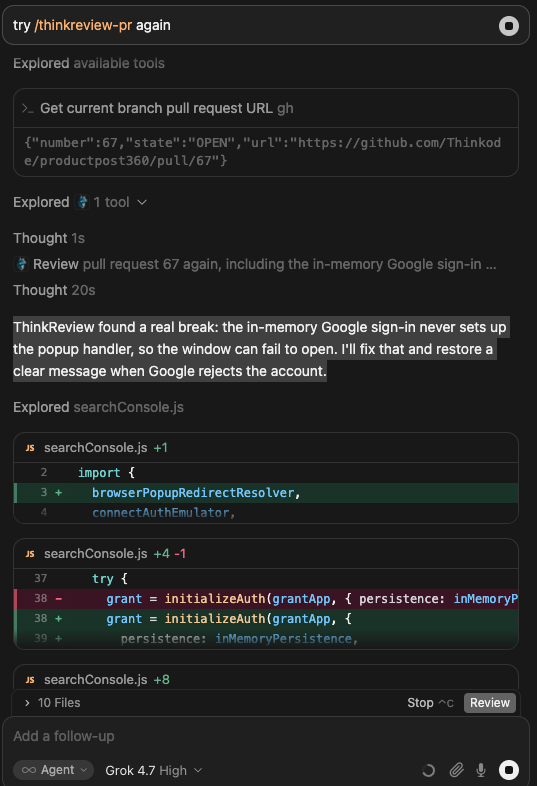
A Cursor session running /thinkreview-pr. ThinkReview reported that the in-memory Google sign-in never set up its popup handler, so the sign-in window could fail to open. The agent then patched searchConsole.js and restored a clear message when Google rejects the account.
The popup handler was missing, and the first failure would have been a user staring at a sign-in window that never opened. Nothing in a recap of the change would have said so. ThinkReview found it on the pull request, and the agent started the fix in the same session, before the merge.
Another run, on a billing change, found a critical issue that was easy to miss in the chat summary:
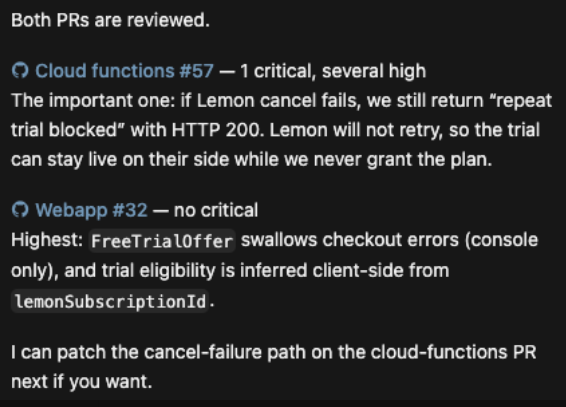
When a cancel call failed, the handler still returned HTTP 200. The billing provider would not retry, so the trial could stay live on their side.
Neither is a style note. Both are the kind of bug that appears after deploy, on a real user.
Add it to your agent tool
The same URL works everywhere. Add the server, then authenticate once in the browser.
Cursor. Add the server to your MCP config, click Authenticate, and ask: “Call review_url_code for https://github.com/org/repo/pull/123”.
{
  "mcpServers": {
    "thinkreview": {
      "url": "https://mcp.thinkreview.dev/v1"
    }
  }
}
Claude Code.
claude mcp add --transport http thinkreview https://mcp.thinkreview.dev/v1
Then run /mcp and authenticate.
Codex. Codex supports Streamable HTTP servers and MCP OAuth, per the Codex MCP docs.
codex mcp add thinkreview --url https://mcp.thinkreview.dev/v1
codex mcp login thinkreview
Antigravity and Windsurf. Add https://mcp.thinkreview.dev/v1 as a remote MCP server in their MCP settings and authenticate. Copy-paste configs for each client are on the MCP setup page.
Before the first review, add a git PAT under Settings → Integrations in the portal. Without it, ThinkReview cannot read private diffs.
One call for the whole loop
Running the tool by hand is useful. Wrapping it in a skill is better. In Cursor, a skill like /thinkreview-pr runs the full loop: find or open the pull request, call review_url_code, fix the critical and high findings that deserve a change, run the tests, push to the same PR, and review again.
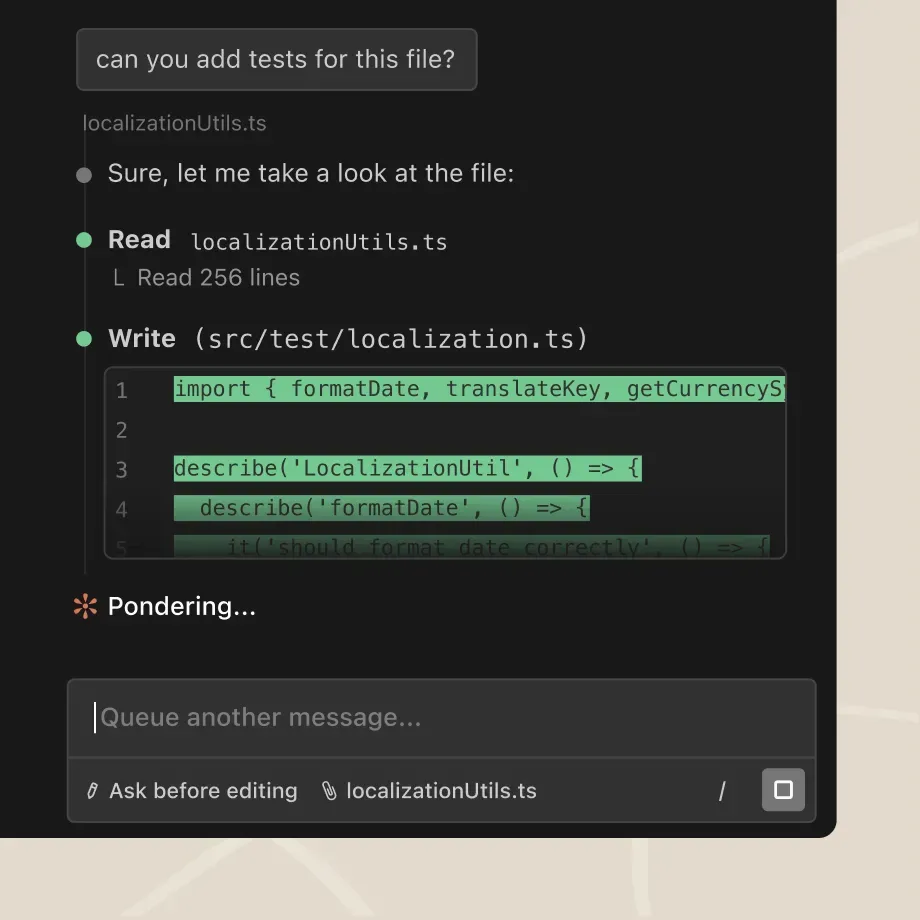
Source: Claude Code, Anthropic.
The same pattern works in Claude Code and Codex with a prompt, a custom command, or an agent instruction file: write the branch, open the PR, review the URL with ThinkReview, fix what would hurt, review again. If you want the reasoning for keeping the reviewer separate from the writer, read ThinkReview vs local Claude /code-review. For the founder-friendly version, see code reviews for vibe coders.
Review before it deploys
Your agent will keep getting faster at writing code. That is the good part. The part that protects your users is a review of the pull request, done by a reviewer that did not write it, before the merge button.
Add the ThinkReview MCP server to Cursor, Claude Code, Codex, Antigravity, or Windsurf and keep the review in the same window as the work. Start with the MCP integration guide, or see the ThinkReview MCP feature page.
Codex MCP details are from OpenAI's Codex MCP documentation. ThinkReview reviews pull requests from the browser extension or from MCP.
Newsletter
Want the next one?
Leave your email and I’ll send the post when it’s published. Models, agents, and the review work in between. No drip after that.
One email when we publish. Unsubscribe in a click.