Code never leaves your machine
Reviews run against your local Ollama instance—ideal for air-gapped or highly sensitive repositories.
Connect ThinkReview to Ollama on your machine—air-gapped and privacy-sensitive teams get AI code review without sending patches to the cloud.
Chrome · Firefox · Edge · Brave
Built to fit your existing git workflow—no new platform to adopt.
Reviews run against your local Ollama instance—ideal for air-gapped or highly sensitive repositories.
Use Llama, Qwen Coder, DeepSeek, and other Ollama-supported models—swap as your hardware allows.
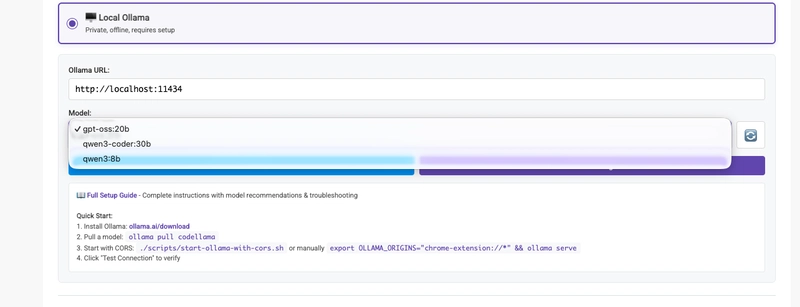
Pick Ollama next to Cloud AI in extension settings—same PR sidebar workflow on GitHub, GitLab, Azure DevOps, and Bitbucket.
ThinkReview is open source—inspect the extension and run local inference end to end.
Get from install to first review in a few minutes.
Run Ollama locally and set OLLAMA_ORIGINS so the browser extension can reach it.
In the ThinkReview extension, choose Ollama as the provider and pick a pulled model.
Open a pull or merge request—analysis runs on your local models.
Explore more features, platforms, and documentation.
Install ThinkReview, connect Ollama, and keep code on your machine.