ThinkReview MCP OAuth: review PRs from Claude Code without pasting a token
ThinkReview MCP OAuth: review PRs from Claude Code without pasting a token
When we launched ThinkReview MCP, setup meant copying a Bearer token into every client config. That still works—and the browser extension still uses it—but for MCP clients that speak OAuth, there is a better path.
MCP 1.3 adds browser OAuth at mcp.thinkreview.dev. You add a URL-only server, click Authenticate, sign in on the ThinkReview portal, and your assistant can call review_url_code on any PR or MR link.
Why OAuth for MCP?
Bearer tokens in JSON configs are easy to commit, share by accident, or leave stale after regeneration. OAuth keeps a short-lived access token in the client and moves consent into a browser window you already trust: portal.thinkreview.dev/mcp/oauth.
You still need:
- A ThinkReview account with credits or an active plan
- Git credentials under Settings → Integrations so ThinkReview can fetch the PR diff
Interactive configs for OAuth and Bearer live on the MCP setup page.
Claude Code: add the server (URL only)
In a terminal:
claude mcp add --transport http thinkreview https://mcp.thinkreview.dev/v1
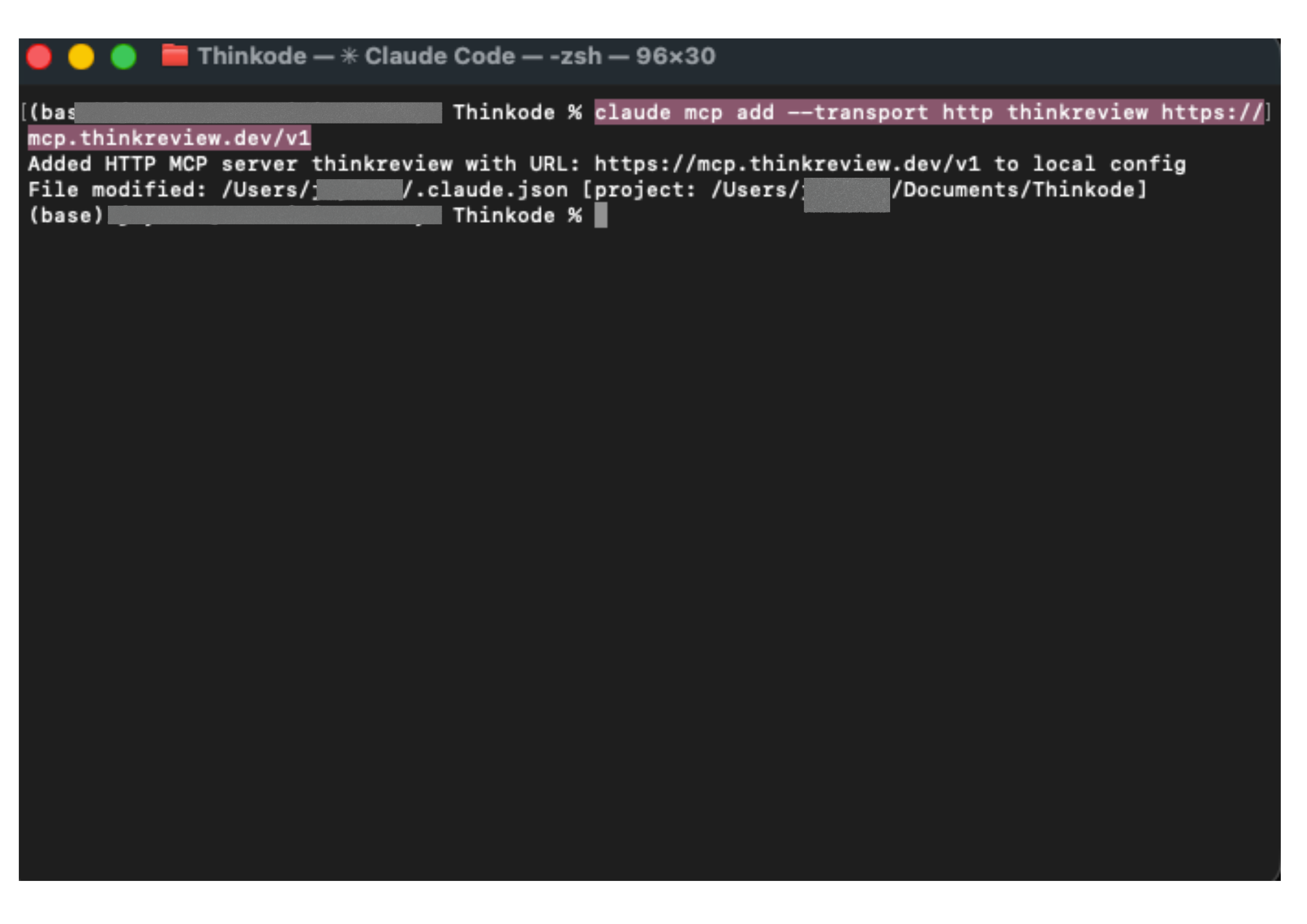
No --header and no token in the command. Or use the JSON from the portal / thinkreview-mcp examples.
Authenticate with /mcp
Start Claude Code and run /mcp.
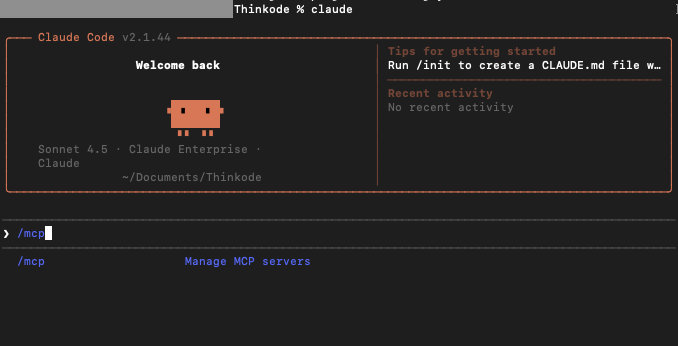
thinkreview should appear as needs authentication.
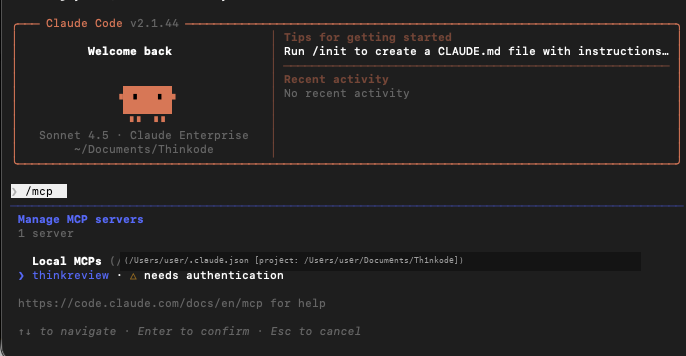
Open it and choose Authenticate.
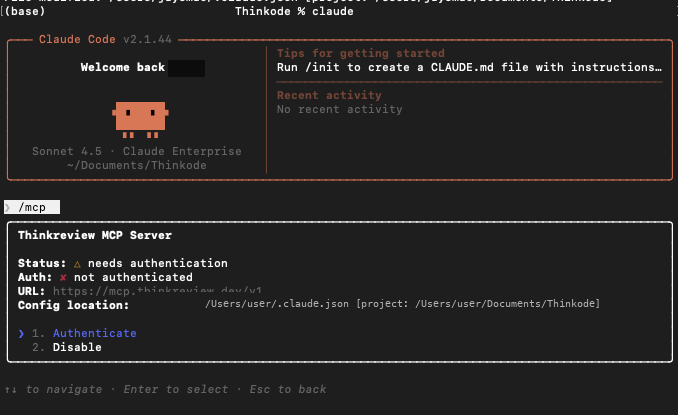
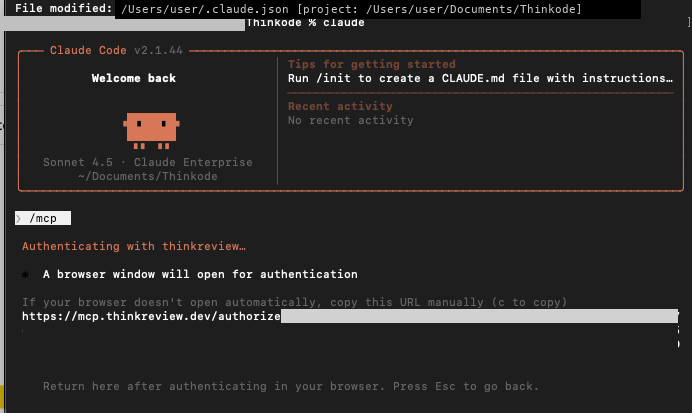
Claude Code starts the OAuth flow and opens (or shows) the authorize URL.
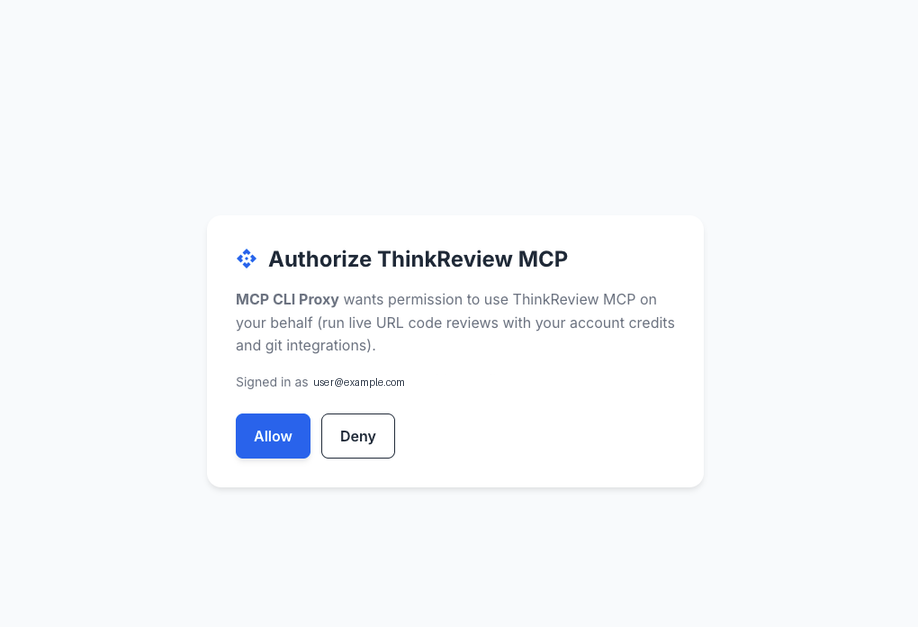
On the portal, confirm the client and click Allow.
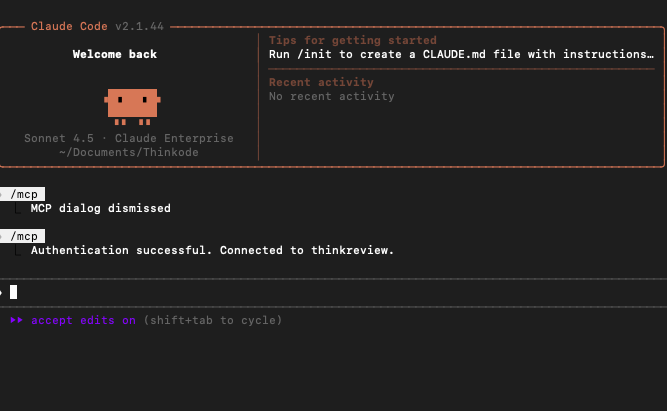
Return to the terminal—you should see Authentication successful.
Run a live URL review
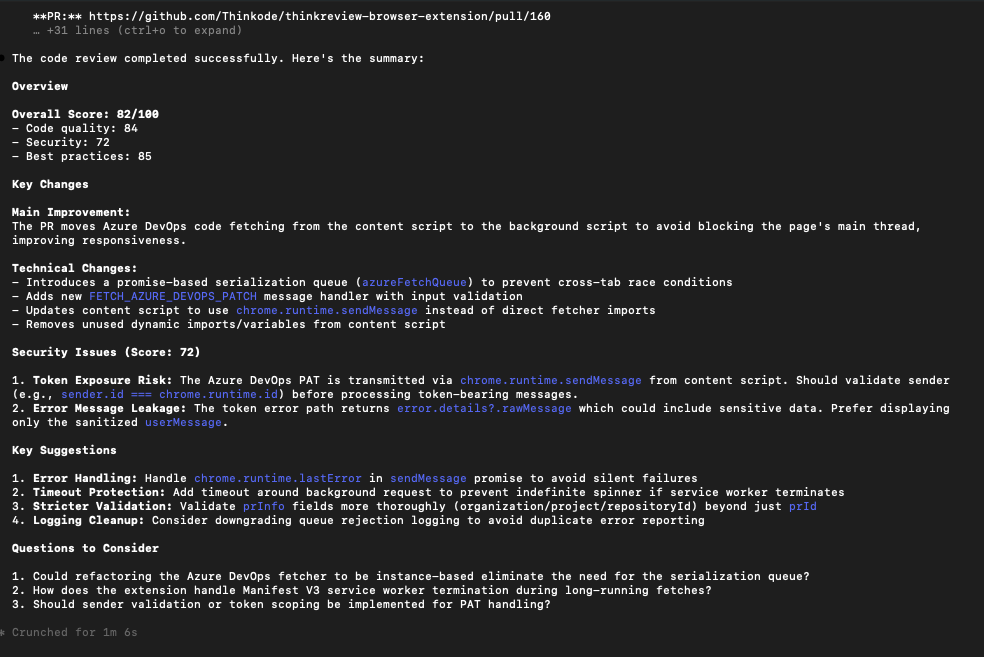
Ask Claude Code to review a PR. It will call review_url_code with your prUrl.
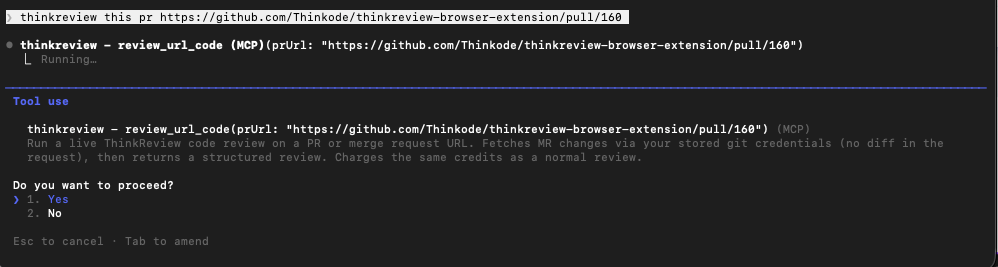
You get the same structured ThinkReview output you know from the extension: scores, security notes, suggestions, and follow-up questions.
Claude Desktop is different
Claude Desktop’s claude_desktop_config.json does not accept Claude Code’s "type": "http" block. Prefer Settings → Connectors → Add custom connector with https://mcp.thinkreview.dev/v1, or bridge with mcp-remote:
{
  "mcpServers": {
    "thinkreview": {
      "command": "npx",
      "args": ["-y", "mcp-remote", "https://mcp.thinkreview.dev/v1"]
    }
  }
}
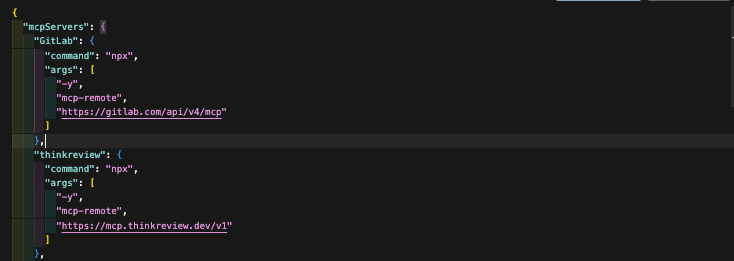
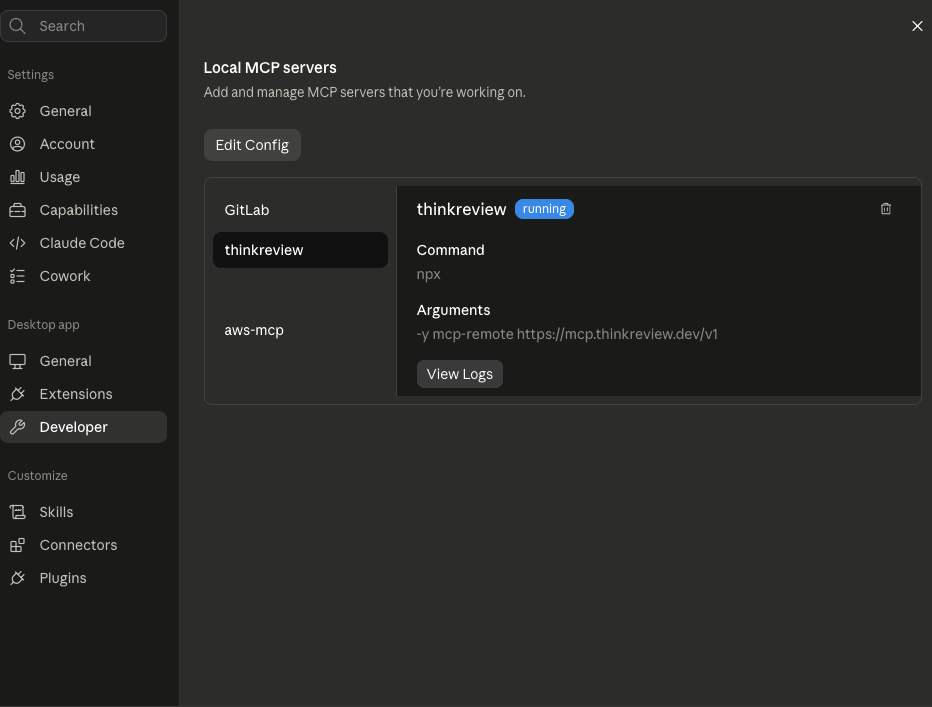
After a full restart, Developer → Local MCP servers should show thinkreview as running, then complete the same portal OAuth consent.
Cursor and VS Code Copilot follow the same OAuth idea: URL-only config, then Authenticate in the client.
Bearer is still available
Prefer OAuth for MCP. The portal still shows a Bearer token for the extension and for clients that cannot finish OAuth. Regenerating that token does not revoke OAuth MCP sessions.
Try it
- Open portal.thinkreview.dev/mcp and pick OAuth (Recommended)
- Add ThinkReview MCP in your client
- Authenticate once, then: “Call
review_url_codefor https://github.com/org/repo/pull/123”
More detail: MCP integration docs · MCP 1.3 release notes · thinkreview-mcp on GitHub