What happened to ChatGPT Atlas?
ChatGPT Atlas launched on the Mac on 21 October 2025 and stopped on 9 August 2026. Bookmarks stayed behind. The browser moved into ChatGPT.

OpenAI's browser launched on the Mac in October 2025. It stopped opening on 9 August 2026. The clicking moved into ChatGPT.
ChatGPT Atlas is retired. OpenAI's help center says the app no longer receives updates, and after 9 August 2026 it may no longer open, browse, or run agent workflows. The browser was ten months old.
This is the timeline. Why ChatGPT Atlas failed is the reason a Mac browser could not hold the job. Why Perplexity Comet failed is the same year, from the other company.
The browser OpenAI shipped
On 21 October 2025 OpenAI introduced Atlas as "the browser with ChatGPT built in." It launched worldwide on macOS for Free, Plus, Pro, and Go, in beta for Business, and for Enterprise and Edu when an admin turned it on. Agent mode, which could research, click, and book while you watched, was a preview for Plus, Pro, and Business. Windows, iOS, and Android were listed as coming soon.
The new-tab page was a chat box and an address bar in the same field. Ask ChatGPT sat at the top right of the window. Agent mode lived in that sidebar, on the sites you were already signed into.
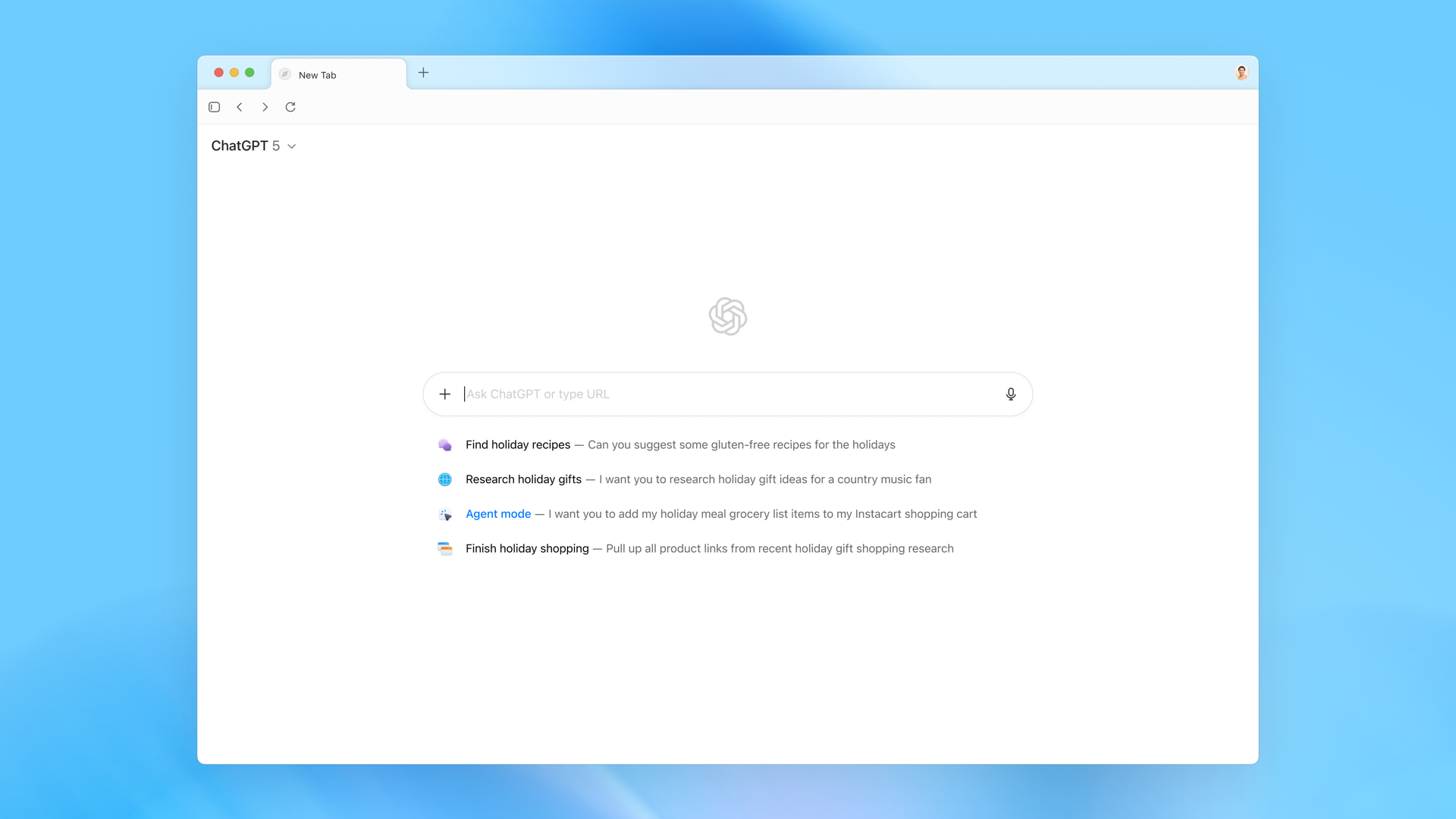
Source: Introducing ChatGPT Atlas, OpenAI. The launch post now says Atlas has been deprecated.
Getting started meant signing in to ChatGPT and importing bookmarks, passwords, and history from the browser you already used. Browser memories were optional. By default, OpenAI said, the pages you visited were not used to train models unless you opted in.
The day it stopped
On 9 July 2026 OpenAI told people to leave. The help article, "Evolving Atlas into ChatGPT for browser-based agentic work," set the stop date at 9 August 2026. That was about thirty days. The reason they gave for the hurry is the one that matters for any browser: a discontinued browser stops getting security updates, and this one could hold a ChatGPT login, history, and payment details.
The Verge reported the shutdown alongside that day's ChatGPT Work news. Atlas was the side app. The desktop app was the one OpenAI was willing to keep patching.
The retirement article is the page that is current now. If you did not export before Atlas stopped opening, OpenAI Support is the path, and recovery is not guaranteed.
Where the clicking went
The browser session moved into ChatGPT and Codex.
The new ChatGPT desktop app, on macOS and Windows, puts Chat, Work, and Codex in one window. Work is the surface for research and finished files: documents, spreadsheets, presentations, reports. On the desktop, Work can use local files and, with permission, desktop apps. The built-in browser handles multiple tabs, downloads, navigation, and account logins. The ChatGPT Chrome extension covers the case where the session you need is the one already open in Chrome. Computer use can drive Safari when you allow it.
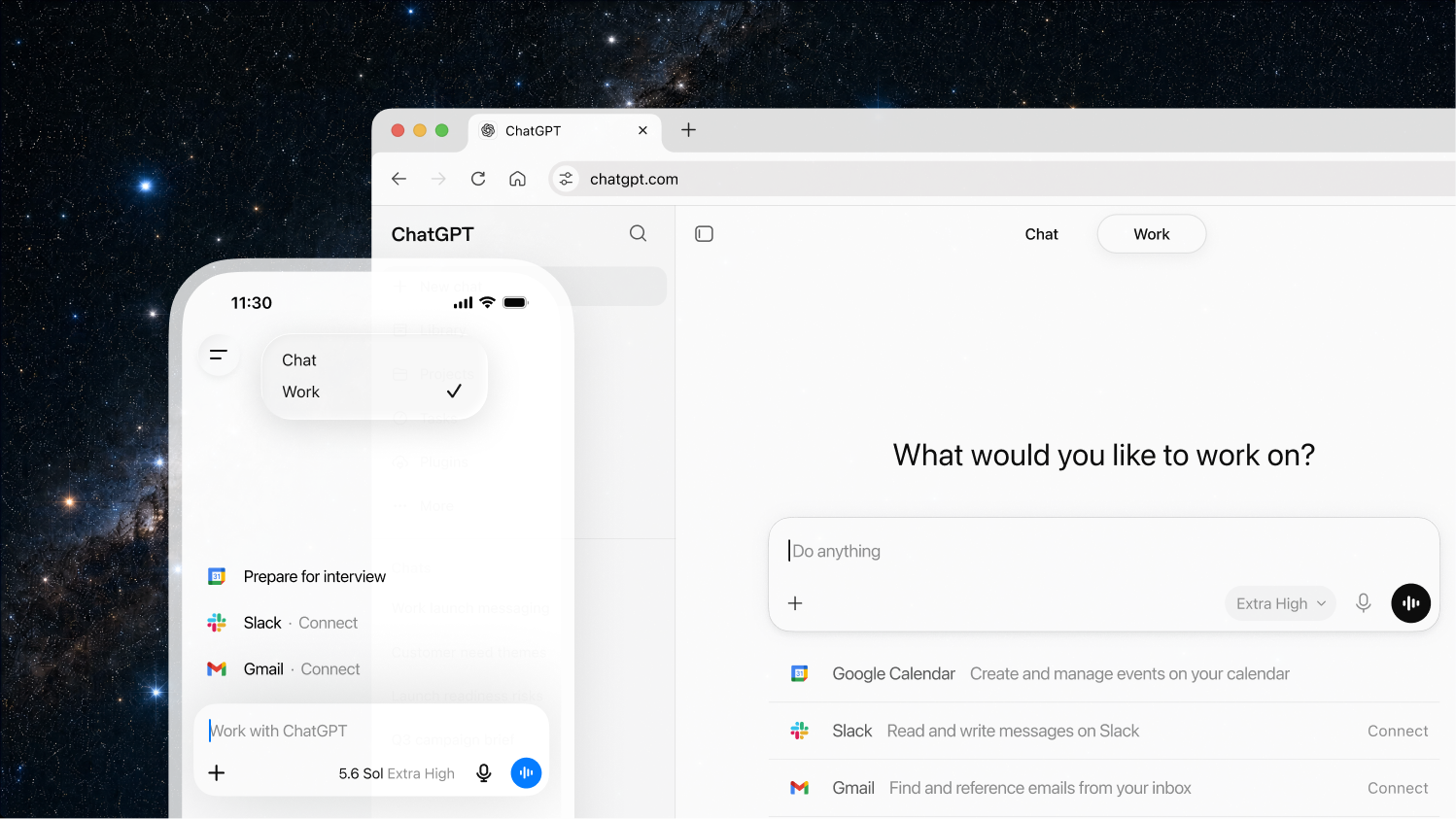
Source: ChatGPT Work, OpenAI.
ChatGPT conversations were stored apart from Atlas. They stayed on your ChatGPT account, subject to your plan. Removing Atlas does not cancel a subscription. Deleting chats does not wipe Atlas browser memories, cookies, or history.
What did not come with you
OpenAI split the data in the shutdown notice, and the retirement article still says the same thing:
- Bookmarks do not transfer. Export them as HTML, then import that file into Chrome or another browser.
- Open tabs do not transfer. Save the URLs before the app is gone. If it is already gone, only a prior export helps.
- Browsing history does not transfer.
- Cookies and signed-in sessions do not follow you. Sign in again on the new browser. Do not share cookie files.
- A short rate-limit promotion that applied only inside Atlas, for up to seven days, did not move to any other ChatGPT experience and did not create a subscription.
Workspace admins were told to see who still had the app, send them the export steps, and take Atlas out of onboarding docs.
The page that still matters
Atlas showed that an agent wants a page, a login, and more than one tab. That page, for a code change, is the pull request.
ThinkReview reviews the request on GitHub, GitLab, Azure DevOps, and Bitbucket. Pick the model in Model selection. The finding stays on the diff.
The shutdown dates and the data split are from OpenAI's wind-down notice and the retirement article. The launch is Introducing ChatGPT Atlas. Install ThinkReview.
Newsletter
Want the next one?
Leave your email and I’ll send the post when it’s published. Models, agents, and the review work in between. No drip after that.
One email when we publish. Unsubscribe in a click.