Ask the right questions on every PR with ThinkReview
Ask the right questions on every PR with ThinkReview
Findings catch bugs. Follow-up questions catch the thing nobody thought to ask.
A useful code review is not a list of nits. It is a conversation: does this feature hold up at the edges, did the bug fix close the other path, what happens when the flag is off?
Most reviewers know that. The hard part is inventing those questions while the diff is still in your head. Style comments are cheap. The questions that save a production incident take a second pass — the kind you skip when the PR is large, the author is waiting, or you are reviewing after hours.
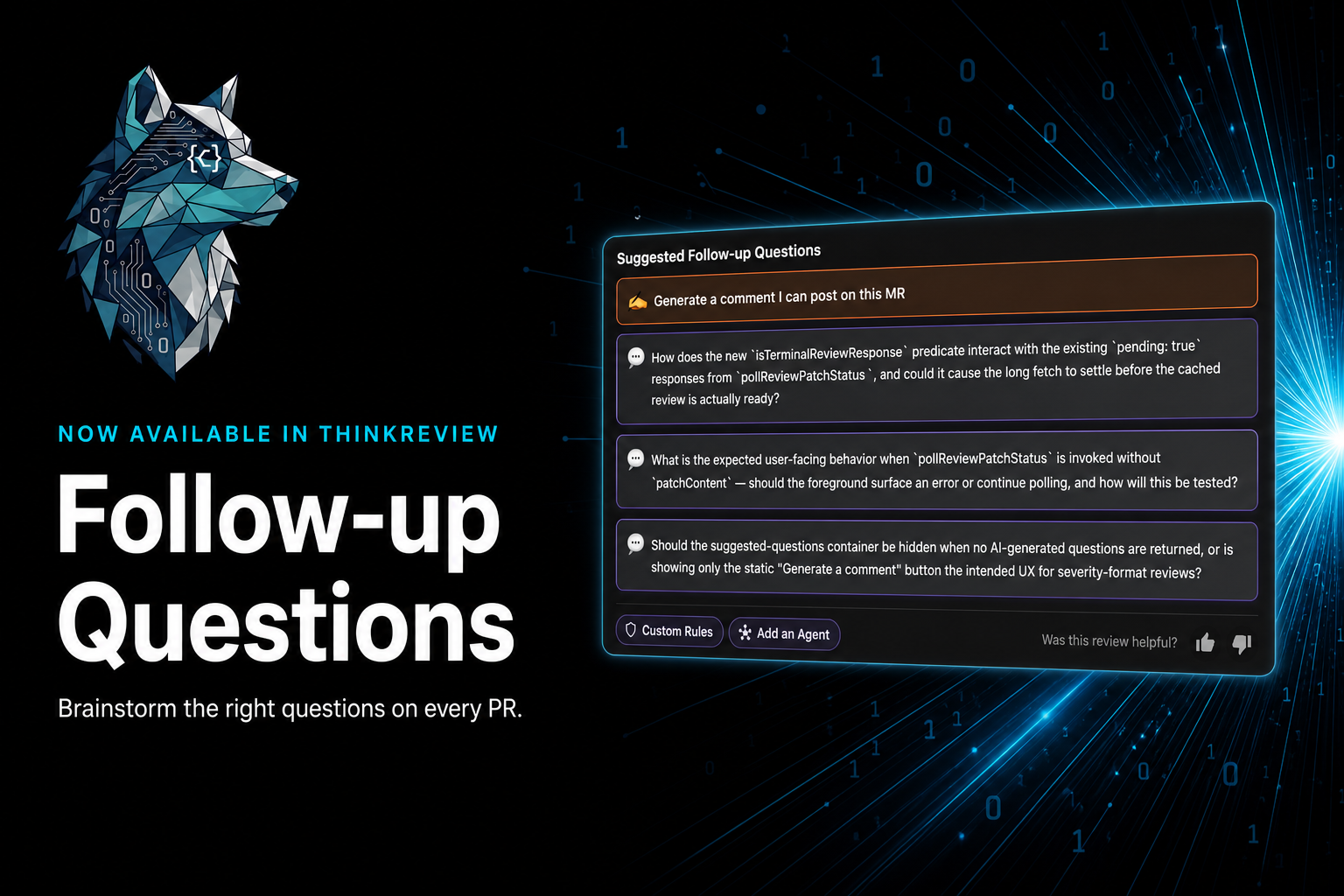
ThinkReview now puts that second pass on the review itself. After findings land, the panel suggests follow-up questions you can click, edit, or ignore — plus a static prompt to generate a comment you can post on the MR. The point is not more AI output. It is a better brainstorm so reviewers and authors ask the right things before merge.
Why follow-up questions matter more than another finding
Findings answer “what is wrong in this hunk.” Follow-up questions answer “what still is not settled.”
That gap is where reviews actually fail:
- A feature ships the happy path. Nobody asks what the empty state, the flag-off cohort, or the retry + circuit-breaker interaction looks like.
- A bug fix patches the call site that blew up. The background worker still has the same miss.
- A refactor extracts a predicate. Pending states now look “done” and the UI settles early.
Those are not always bugs in the lines you can highlight. They are design, contract, and test questions. If they never get asked, they never get written down — and the author cannot answer them in the thread.
ThinkReview’s suggested questions sit next to the findings so that conversation starts on the PR page, not in a later Slack ping.
How ThinkReview helps you brainstorm
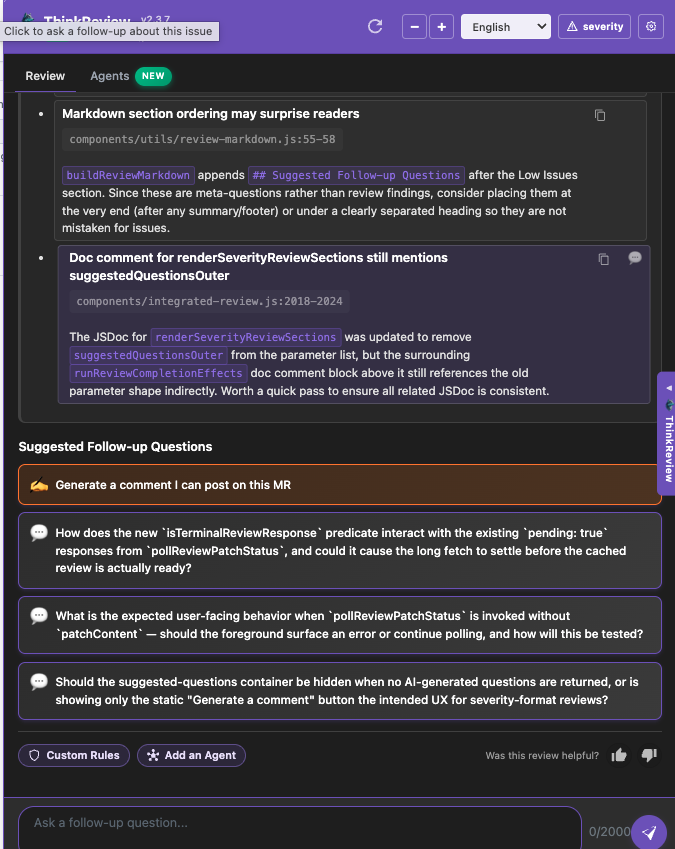
After a review finishes — Severity or Scoring — the panel shows Suggested Follow-up Questions: one static action plus up to three questions generated from the diff and the findings.
- Generate a comment I can post on this MR — turn the review into a reviewer-owned comment, not a bot dump.
- Click a question — it drops into the follow-up chat so you can keep digging without rewriting context.
- Type your own — the input at the bottom is still yours. The suggestions are a starting point.
The questions are included when you copy or export the review as markdown, so they travel with the write-up you share.
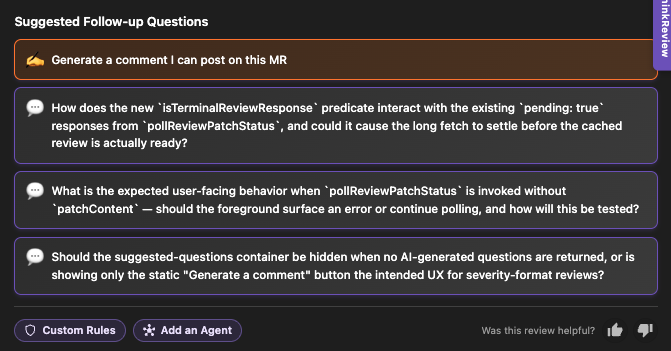
They are specific to the change, not generic “did you write tests?” prompts. On a real review they look like this:
- How does the new
isTerminalReviewResponsepredicate interact with the existingpending: trueresponses frompollReviewPatchStatus, and could it cause the long fetch to settle before the cached review is actually ready? - What is the expected user-facing behavior when
pollReviewPatchStatusis invoked withoutpatchContent— should the foreground surface an error or continue polling, and how will this be tested? - Should the suggested-questions container be hidden when no AI-generated questions are returned, or is showing only the static “Generate a comment” button the intended UX for severity-format reviews?
That is the bar: named functions, named states, a decision the author still owes the thread.
Examples across features, bug fixes, and refactors
The same mechanic helps on different kinds of PRs. The questions change; the job does not.
New feature
- Does this retry policy interact with the existing circuit breaker, or can both fire and double-cancel the request?
- When the feature flag is off for half the cohort, is the expected UX the old UI, an empty state, or a hard error?
- If the new webhook path is slower than the polling path, which one wins, and how will we notice?
Bug fix
- This patch catches the null at the call site — is the same miss still possible from the background worker?
- The test covers the happy-path retry. What happens on the third consecutive timeout, which is how this bug shipped?
- We fixed the race in the foreground. Does the cached result still get applied after a later poll returns
pending: true?
Refactor or cleanup
- After extracting this helper, do all callers still agree on what “done” means, including error and timeout?
- Docs and JSDoc still mention the old parameter. Is that leftover, or is a second code path still using it?
- If markdown section order changed, will readers confuse meta-questions with actual findings?
Reviewers use these as a checklist they did not have to invent. Authors use them as a punch list before they ping for a re-review. Either way, the thread gets sharper.
For reviewers and for the people writing the code
Suggested questions are not a replacement for judgment. You still decide what to post.
They help reviewers when:
- The diff is large and you would otherwise only comment on the first two files
- You know the domain well but want a second set of edges called out
- You want a comment that sounds like a senior teammate, not a linter
They help developers when:
- You opened the PR and want to pre-empt the questions you will get anyway
- You are the author reading someone else’s review and need a place to start the reply
- You want the follow-ups in the exported markdown so the discussion is not trapped in the side panel
Click a suggestion, refine it in chat, or ignore it. The review stays yours.
Available in the ThinkReview extension
Suggested follow-up questions ship in the ThinkReview browser extension. Open a pull request or merge request, run a review, and they appear under the findings — on GitHub, GitLab, Azure DevOps, and Bitbucket.
Install it where you already review:
- Chrome / Brave: ThinkReview on the Chrome Web Store
- Firefox: ThinkReview on Firefox Add-ons
- Microsoft Edge: ThinkReview on Edge Add-ons
Same account across browsers. Same workflow on the PR page. No CI bot to install.
If you already use ThinkReview, update the extension and run a Severity or Scoring review. The follow-up block is at the bottom of the review — click a question, or type your own.
Findings tell you what broke. Follow-up questions tell you what to ask next. Install ThinkReview and try them on your next PR.