ThinkReview now supports Bitbucket Cloud
ThinkReview now supports Bitbucket Cloud
We're happy to announce that ThinkReview now works with Bitbucket Cloud (bitbucket.org). You can run AI-powered code reviews directly on your Bitbucket pull requests—same workflow as GitLab, GitHub, and Azure DevOps—and chat with the AI about your PR in a copilot-style sidebar.
ThinkReview is open source and supports local Ollama models, so you can keep code on your own machine, or use cloud AI if you prefer.
AI review on your Bitbucket PRs
Once the extension is installed and your Bitbucket token is set up, open any pull request on bitbucket.org. The ThinkReview button appears (e.g. on the bottom right or in the PR toolbar). One click runs the review: the extension fetches the diff, sends it to the AI (or your local Ollama), and shows suggestions, security notes, and best practices in a sidebar next to your PR.
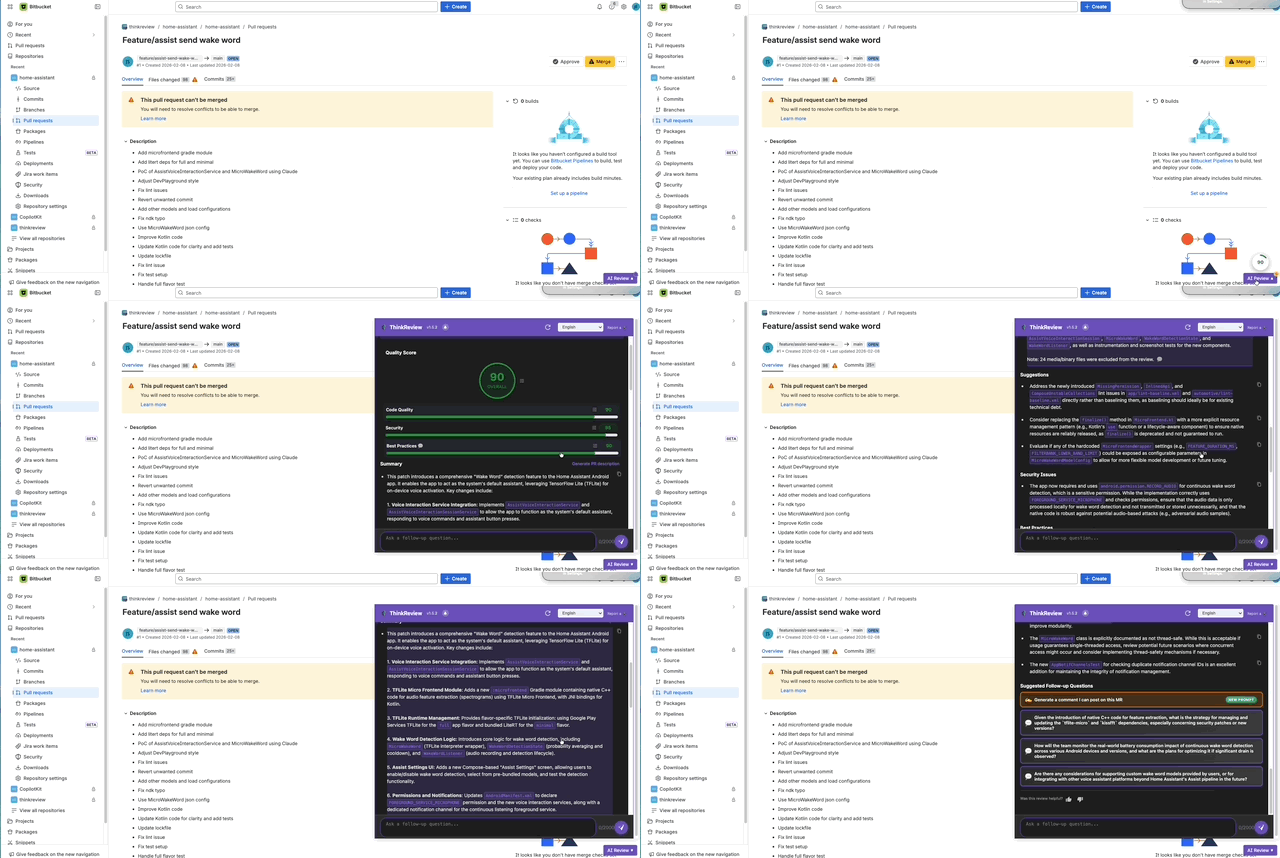
No tab switching, no copy-pasting. The review lives right next to the PR.
What you get
- One-click AI review — Suggestions, security checks, and best practices on the full PR diff.
- Copilot-style chat — After the review, you can chat with the pull request: ask follow-up questions, drill into specific changes, or “why did you flag this?” and get answers in context.
- One-time setup — Create a Bitbucket API token (or App password) with Repository: Read, paste it in the ThinkReview popup under Bitbucket settings, and you’re done. Optionally add your Bitbucket account email for Basic auth when required.
- Open source — ThinkReview on GitHub. Self-host, contribute, or just inspect the code.
- Local models — Use Ollama so reviews run on your machine and code never leaves your network.
How to get started
- Install ThinkReview — Chrome Web Store (works in Chromium-based browsers including Edge).
- Add your Bitbucket token — In Bitbucket: Personal settings → App passwords / API tokens → create a token with at least Repository: Read. In the ThinkReview popup → Settings → Bitbucket → paste the token (and optionally your email) → Save.
- Run a review — Open any pull request on bitbucket.org and click ThinkReview. Use the chat below the review to ask follow-ups.
Full setup (with token creation steps): Bitbucket Cloud Integration Guide
One extension, four platforms
ThinkReview supports GitLab, GitHub, Azure DevOps, and Bitbucket Cloud. Same AI review and chat experience everywhere—one extension for all your PRs.
If you try it on Bitbucket and run into issues or have ideas, we’d love to hear from you: open an issue on GitHub or use the feedback form on thinkreview.dev.