
GitHub Integration
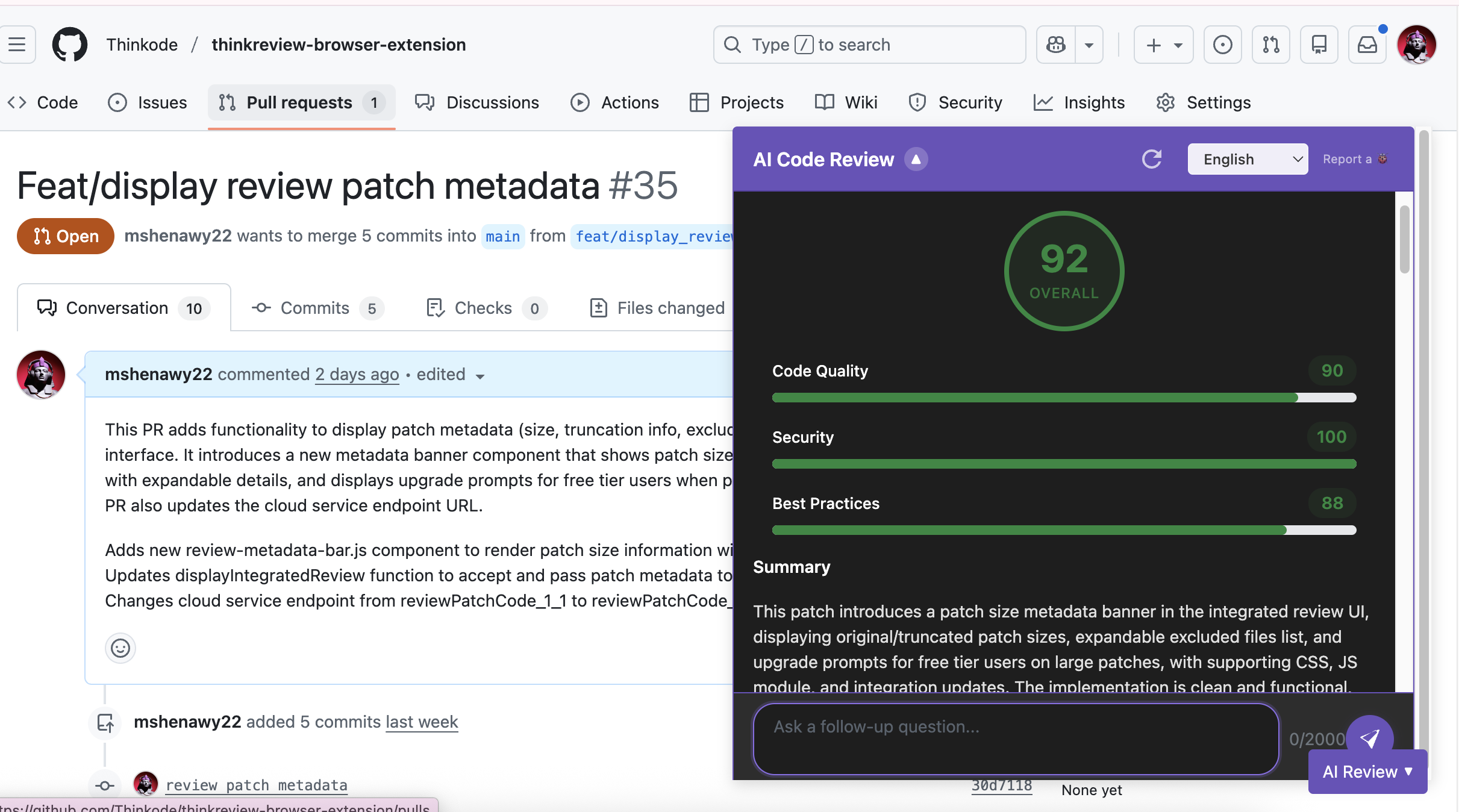
ThinkReview brings AI-powered code reviews to GitHub, helping you review Pull Requests faster and with higher quality.
Getting Started
Section titled “Getting Started”On github.com, ThinkReview is ready to go as soon as you install the extension.
- Navigate to any Pull Request.
- The ThinkReview button should appear on the bottom right of the page.
- Click on the ThinkReview button to analyze the code changes.
Features for GitHub Users
Section titled “Features for GitHub Users”- Seamless Pull Request Reviews: Analysis is performed on the active diffs in the “Files changed” view.
- Smart Feedback: Get suggestions on code quality, security, and best practices directly in the context of your GitHub PR.
- Chat with Review: Use the conversational interface to ask specific questions about the suggestions provided by the AI.
- Support for All Plans: Whether you use a personal public repo or a large organization’s private repo, ThinkReview scales to your needs.
Troubleshooting
Section titled “Troubleshooting”ThinkReview button not appearing?
If the ThinkReview button doesn’t appear on your Pull Request page, it could be a caching issue with Chrome/Edge:
- Fully quit your browser (not just closing the tab or window - completely exit the browser application)
- Restart the browser and navigate back to your Pull Request
- The ThinkReview button should now appear
If the issue persists after restarting your browser, please submit a bug report and we’ll help you resolve it.
TL;DR: ThinkReview works seamlessly with GitHub.com. Simply navigate to any Pull Request and click the ThinkReview button on the bottom right.