
|
ThinkReview
|
|
|
🔧 IMPORTANT FIX
Visual Studio Azure DevOps Issue Fixed
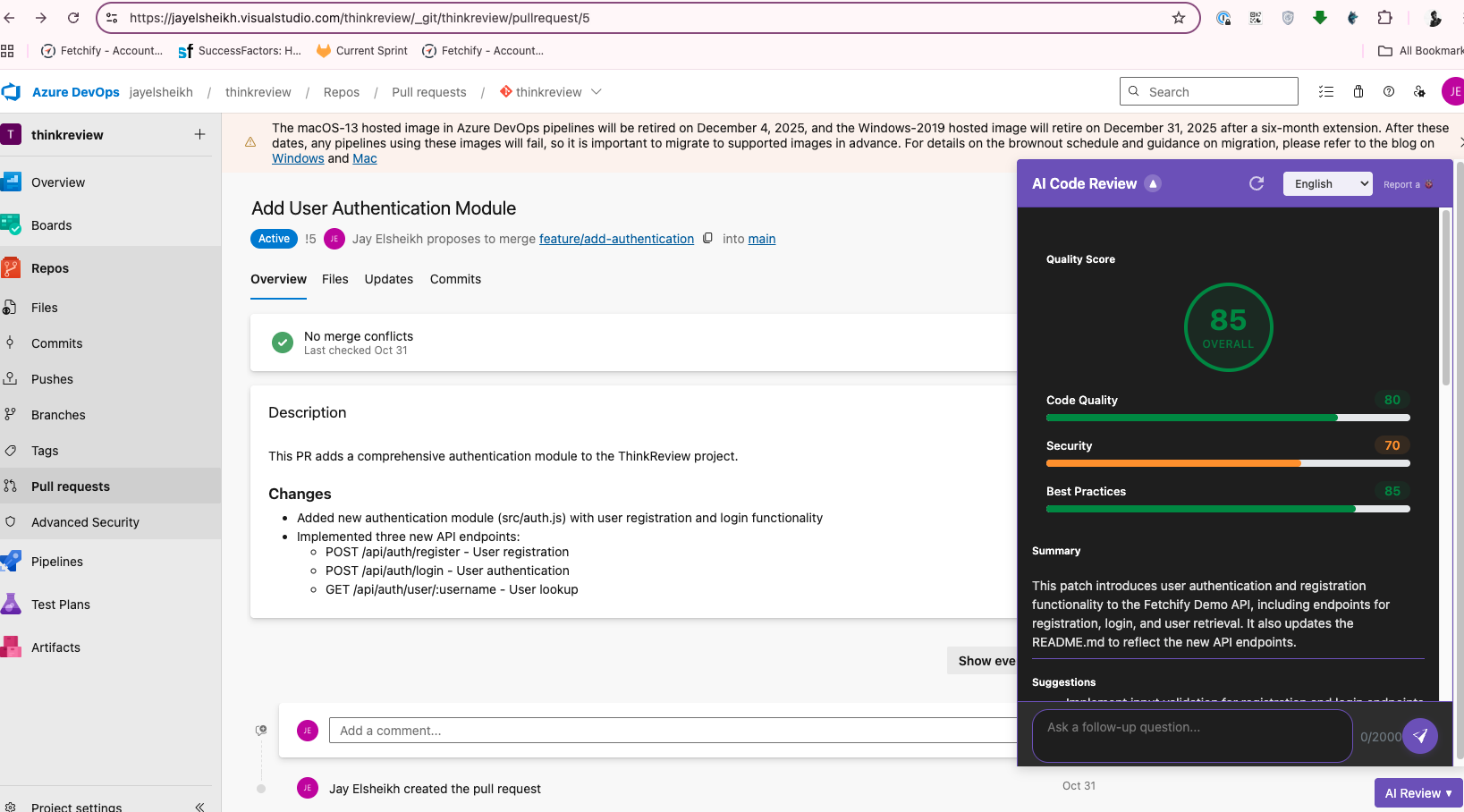
We've fixed the issue preventing ThinkReview from detecting Pull Requests on Visual Studio (visualstudio.com) Azure DevOps pages. Update to v1.4.3 and start generating AI code reviews on your PRs today!
|
|
What's Fixed in v1.4.3
|
| ✔️ |
Visual Studio Detection: ThinkReview now correctly detects Pull Requests on company.visualstudio.com pages. No more missed PRs!
|
|
| ✔️ |
Generate Reviews: You can now generate AI-powered code reviews on all your Visual Studio Azure DevOps Pull Requests.
|
|
| ✔️ |
Automatic Updates: The extension will automatically update when you quit and restart Chrome. No manual action needed!
|
|
|
Get Started with AI Code Reviews
|
|
🚀 If You Already Have ThinkReview: Simply quit Chrome and restart it. The extension will automatically update to v1.4.3, and you'll be able to generate reviews on Visual Studio Azure DevOps pages immediately.
|
|
📦 If You're New to ThinkReview: Install the extension from the Chrome Web Store and start generating AI-powered code reviews on your Pull Requests right away.
|
|
📍 Where to Find It: After updating or installing, navigate to any Visual Studio Azure DevOps Pull Request page. You'll see the ThinkReview button on the bottom right of the page—click it to generate your code review!
|
|
|
Get ThinkReview from the Chrome Web Store
Install ThinkReview
The extension will automatically update when you quit and restart Chrome. If you already have it installed, just restart Chrome to get v1.4.3!
|
|
|
